
We may earn a commission if you buy through links on this page. It never changes a score or a ranking. How we make money
The bottom line
A good low-cost home for team tasks, especially if the free plan’s limits fit.
Small teams that need shared task boards may not need a paid tool: Plaky’s free plan lists unlimited users, boards, items, and views. The catch is six fields per board, a seven-day activity log, and 10 MB storage per file.
When those limits pinch, Pro starts at $3.99 per seat/month with annual billing, or $4.99 month to month. Reddit discussion about Plaky is sparse, so we’d treat its user sentiment as uncertain rather than a clear endorsement.
Good fit if
- Budget-conscious teams of 1–10
- Teams sharing work on boards
- Small teams needing unlimited free users
Skip it if
- Teams needing large file uploads
- Teams needing long activity histories
- Teams requiring verified integrations
ScoresHow it rates
What works
- Free plan lists unlimited users, boards, items, and views
- Pro starts at $3.99 per seat/month with annual billing
- Pro includes unlimited fields per board
- Dashboards combine data from multiple boards
- Templates include pre-made and custom options
What doesn't
- Free plan has only six fields per board
- Free activity log lasts seven days
- Free file limit is 10 MB per file
- Invited users count as paid seats on Pro
- Reddit discussion offers little evidence of user satisfaction
01Who Plaky is for
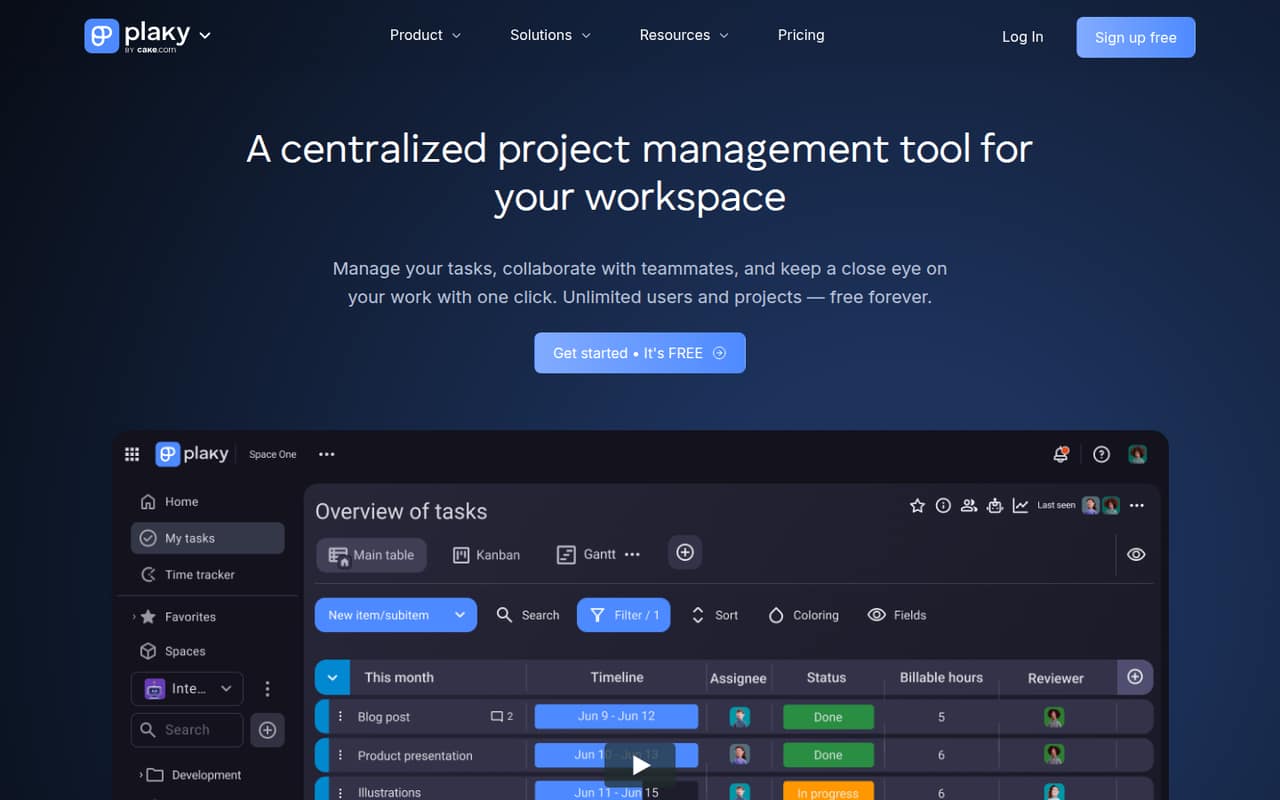
Plaky is a project and task manager for small teams that want shared boards without paying per person to get started. A team of one to ten can use boards, views, filters, and dashboards to organize tasks, share files, discuss work, and track progress. It suits teams that want one place to see who is doing what, rather than a tool focused only on personal to-do lists.
The free plan is the sensible first stop for a team watching every subscription: it lists unlimited users, spaces, boards, items, and views. Those limits make it possible to start with a team board without counting seats. Plaky may also suit teams that want to build a workflow from templates; its template guidance describes pre-made industry templates and custom templates. If your work depends on large attachments, long activity histories, or more than six fields on a free board, check the paid-plan limits before moving your team over.
02Plaky free plan and trial
Plaky’s Free plan costs $0 and lists unlimited users, spaces, boards, items, and views. That is a strong starting point for a small team: you can invite colleagues without a per-seat charge and organize work across multiple boards. The limits to watch are six fields per board, a seven-day activity log, and 10 MB of storage per file.
The pricing lists a seven-day free trial, but it does not specify the trial’s exact plan or feature access. Ask Plaky to confirm what the trial includes before relying on it. If your team needs more than six fields per board, Pro is the next listed plan, with unlimited fields and 25 MB file storage. Pro also lists 1,000 automation actions per month and dashboards with up to 15 boards.
03What a small team pays for Plaky
The cheapest plan is Free, at $0 for any team size listed. When you need Pro features, Plaky lists $4.99 per seat/month with monthly billing, or $3.99 per seat/month when billed annually. For three seats, that is $14.97 monthly or $11.97 per month on annual billing; the annual-billing option totals $143.64 for the year. For five seats, it is $24.95 monthly or $19.95 per month on annual billing, totaling $239.40 for the year.
Pro counts each active or invited user as a paid seat; deactivated users do not count. It includes up to five Viewers per paid seat, so check whether that covers occasional collaborators before adding seats. If your team needs Enterprise, listed at $10.99 per seat/month monthly or $8.99 with annual billing, three seats cost $32.97 or $26.97 per month, respectively. The Bundle is a separate option for teams needing project management, team communication, and time tracking, starting at $15.99 per seat/month or $12.99 with annual billing.
04Getting started with Plaky
A practical way to start is to choose one shared workflow, create a board, and add only the task fields your team needs. Plaky’s template guidance says users can choose a pre-made industry template from its template center, preview it, and create a board from it; it also describes custom templates. That gives a new team a starting point instead of requiring every board to be designed from scratch.
The core concepts in the product description are boards, tasks, views, filters, and dashboards. Teams should agree on how they will name tasks, assign work, and use discussion threads before building several boards. The pricing and feature details do not establish which outside integrations are available, so ask Plaky whether it connects to the tools your team already relies on. A seven-day trial is listed, but confirm what it covers before using it to plan a rollout.
05When small teams outgrow Plaky
The first reason to upgrade is usually a limit the team actually hits: Free caps boards at six fields, activity history at seven days, and files at 10 MB each. Pro removes the field cap, raises file size to 25 MB, adds 1,000 automation actions per month, and supports dashboards with up to 15 boards. If those allowances are not enough, Enterprise lists unlimited automation actions, dashboards with up to 30 boards, an unlimited activity log, and 100 MB file storage per file.
Seat costs can also change the decision as collaborators join. On Pro, active and invited users count as paid seats, while deactivated users do not. Reddit discussion does not offer much evidence from long-term Plaky users: one thread asks whether anyone has used it, and its sole commenter says they were still considering trying the free version six months later. Treat that as limited anecdotal sentiment, not proof of a product problem or a broad user consensus.
From the threadsWhat users say
Reddit material is too sparse to show a clear pattern of satisfaction or complaints. One post points to Plaky’s free user allowance, while another thread has a prospective user still considering a trial.
Offers unlimited users and projects even on its free plan
six month later, I'm still wondering the same thing
There are 2 types of templates you can use — pre-made industry templates and custom templates
We just need to make one, big board, with a bunch of cards in buckets
Questions people ask
Is Plaky free for a small team?
Yes. Plaky’s Free plan lists unlimited users, spaces, boards, items, and views at $0. It also has limits: six fields per board, a seven-day activity log, and 10 MB storage per file. That can work for a small team starting with shared task boards, but check those caps against your actual workflow.
How much does Plaky cost for a team of five?
Pro costs $4.99 per seat/month with monthly billing, so five seats cost $24.95 per month. With annual billing, the listed rate is $3.99 per seat/month, or $19.95 per month—$239.40 for the year. Active and invited users count as paid seats; deactivated users do not.
What does Plaky Pro add?
Pro lists unlimited fields per board, 1,000 automation actions per month, dashboards with up to 15 boards, and 25 MB storage per file. It also includes up to five Viewers per paid seat. The listed price is $4.99 per seat/month monthly or $3.99 per seat/month with annual billing.
Does Plaky offer a free trial?
A seven-day free trial is listed. The pricing details do not specify which plan or features the trial includes, so ask Plaky to confirm before you plan a team rollout. The Free plan is also listed at $0, with unlimited users, boards, items, and views.
What are Plaky’s free-plan limits?
The Free plan lists six fields per board, a seven-day activity log, and 10 MB of storage per file. It lists unlimited users, spaces, boards, items, and views. If your team needs more fields, longer activity history, or larger file uploads, compare the Pro and Enterprise allowances.