
We may earn a commission if you buy through links on this page. It never changes a score or a ranking. How we make money
The bottom line
Good for custom workflows; less appealing if you want a ready-made, fast-changing project tool.
Podio helps small teams build custom workspaces from apps and data fields, then manage work with tasks, views, collaboration, and automation. It can also serve as a lightweight CRM or project tracker, but teams need to shape it around their own processes.
The Free plan covers up to five users, but its 100-item organization limit is tight. Plus starts at $14 per user monthly, or $11.20 per user per month with annual billing. Reddit users praise Podio’s flexibility but raise concerns about product momentum and data portability.
Good fit if
- Teams with a specific workflow
- Small businesses building a simple CRM
- Teams that want custom apps
Skip it if
- Teams wanting ready-made project tracking
- Teams needing generous free storage
- Teams prioritizing product momentum
ScoresHow it rates
What works
- Build custom apps without code
- Free plan supports up to five users
- Unlimited workspaces and apps on Free
- Multiple views include table and kanban
- Premium includes 25,000 automation actions monthly
What doesn't
- Free plan stops at 100 items per organization
- Plus costs $14 per user monthly
- Automation add-ons can raise the bill
- Custom setup takes planning
- Reddit users question product momentum and portability
01Who Podio is for
Podio is for small teams that need their work software to match a specific process, rather than the other way around. Think a 2- to 10-person business tracking clients, projects, or internal requests in a set of connected custom apps. The product combines those apps with workspaces, task management, comments, file sharing, and workflow automation.
A no-code builder lets a team define its own data fields and layouts. You can then view that data in table, kanban, calendar, or badge formats. That flexibility is useful when a generic project board does not fit, but it also means the team has to decide how its system should work. Podio is less suitable if you want a ready-made project plan with minimal configuration. The Free plan is a low-cost way to try a small setup; teams that exceed its 100-item cap will need to consider Plus.
02Podio free plan and trial
The pricing page lists a Free plan at $0 per user per month for up to five users. It includes unlimited workspaces and apps, webforms, granular app permissions, and 1,000 API calls per hour. The catch is a limit of 100 items per organization, so a team can run into the ceiling even while keeping its user count low.
Plus removes the item limit and adds unlimited task management, workspaces, and apps. That is the practical step up if the team’s records grow past 100. Podio also lists a 30-day trial of Premium features, which can help a team assess workflow automation before paying for Premium. One Reddit thread describes concerns about data retention after downgrading; check Podio’s current terms and backup options before putting important records in a free workspace.
03What a small team pays for Podio
Plus is the cheapest paid plan that removes the Free plan’s 100-item cap. The pricing page lists it at $14 per user per month, or $11.20 per user per month with annual billing. That works out to $14 monthly or $11.20 annual-billing equivalent for one person; $42 or $33.60 for three; and $70 or $56 for five. Annual rates are monthly equivalents, not the monthly-billing price.
Premium is for teams that need workflow automation. It costs $24 per user monthly or $19.20 per user per month with annual billing: $72 or $57.60 for three people, and $120 or $96 for five. Premium includes 25,000 automation actions per month. If that is not enough, listed automation add-ons start at $49 monthly or $39 per month with annual billing. API add-ons start at $29 monthly or $276 annually. Podio does not publish overage costs, so ask how extra usage is billed before relying on automation at scale.
04Getting started with Podio
Getting started means deciding what information the team needs to track, building apps around that data, and organizing those apps into workspaces. The no-code builder and templates can reduce the need to build software from scratch, but Podio does not publish a typical setup time. A team with a clear process should have an easier start than one still deciding how its work should flow.
After the apps are in place, the team can add views, permissions, tasks, comments, and webforms. Workflow rules can handle assignments, status updates, and notifications; the pricing page lists automation on Premium. For an outside connection, one Reddit commenter describes using Premium’s HTTP Request action to connect Podio with OpenAI. That is a user-reported approach, not a guarantee that a particular integration will fit your needs. Start with the core workflow, then add integrations once the data structure is settled.
05When small teams outgrow Podio
The first obvious limit is Free’s 100 items per organization. Plus removes that cap, but costs $14 per seat monthly, or $11.20 per seat per month with annual billing. Teams that depend on automation may need Premium at $24 monthly per seat, or an add-on if 25,000 monthly actions are not enough. API add-ons and unpublished overage costs are worth checking as usage grows.
There can also be a process and product-fit ceiling. In one Reddit thread, users say Podio has not kept pace with newer tools and suggest looking elsewhere when teams need more structured project or portfolio management. Another thread raises concerns about data and workspace configuration when leaving or downgrading. Commenters distinguish raw data backups from the setup needed to rebuild apps. Before expanding a critical workflow, ask Podio what a full export includes and how downgrades affect stored data.
From the threadsWhat users say
Reddit sentiment is mixed: users value Podio’s customizable app model, while some longtime users complain about slow product development. Other commenters raise concerns about migration and preserving workspace configuration.
Podio is pretty unique
The problem is that Podio isn't growing
I've integrated Podio with OpenAI for various projects
But that isn't the full story
Questions people ask
What is Podio?
Podio is a no-code work management platform for building digital workspaces around a team’s processes. Teams create custom apps and data structures, then use workspaces, task management, collaboration features, and workflow automation to organize work such as projects or customer records.
Is Podio a CRM system?
Podio can be configured for CRM work, including tracking customer or sales information in custom apps. It is not limited to CRM: teams can also build workspaces for project tracking and other processes. The team needs to create a structure that fits its own sales workflow.
Is Podio still free?
Yes. The pricing page lists a Free plan for up to five users, with unlimited workspaces and apps, webforms, and granular app permissions. It is limited to 100 items per organization, so a team with more records needs to consider Plus.
How much does Podio cost per month?
Plus is listed at $14 per user per month, or $11.20 per user per month with annual billing. Premium costs $24 monthly or $19.20 per user per month with annual billing. The Free plan is $0, subject to its five-user and 100-item limits.
What does Podio look like?
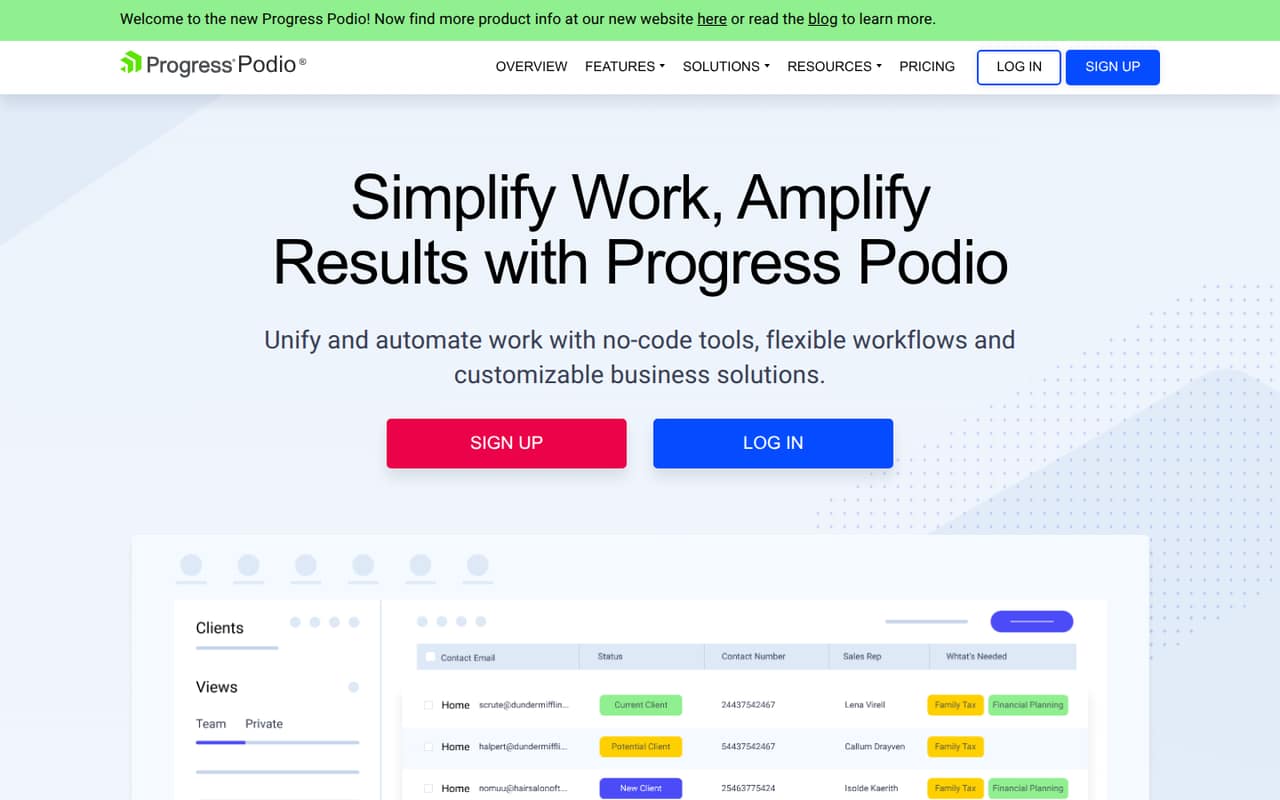
Podio is organized around customizable workspaces and apps that hold a team’s data. That information can be displayed in table, kanban, calendar, and badge views. Teams can also use tasks, comments, file sharing, mentions, and webforms within their workspaces.