
We may earn a commission if you buy through links on this page. It never changes a score or a ranking. How we make money
The bottom line
Strong planning and resource tools, but a small team pays per seat and has no free plan.
ProjectManager.com is for teams that need more than a shared task list: it combines project schedules, dependencies, resource planning, time tracking, collaboration, and portfolio reporting. Team starts at $15 per user/month when billed annually and covers up to 10 users.
There’s no free plan, only a 30-day free trial. The listed price for a team of three is $45 per month equivalent, billed annually at $540. It’s worth considering if you’ll use its planning and tracking tools; a lighter task manager may be a better budget fit for simpler work.
Good fit if
- Teams planning multiple projects
- Managers tracking resources and hours
- Teams with up to ten users
Skip it if
- Teams that need a free plan
- Simple task-list users on tight budgets
- Teams needing published monthly rates
ScoresHow it rates
What works
- Team plan supports up to 10 users
- Unlimited tasks and subtasks on Team
- Unlimited free guest licenses on Team
- Business includes resource management and timesheets
- Desktop and mobile apps are included
What doesn't
- No free plan
- Monthly billing rates are not published
- Team limits projects to 20
- Team storage is limited to 5GB
- Setup time and integrations aren’t listed in pricing details
01Who ProjectManager.com is for
ProjectManager.com is aimed at teams that need to plan and manage work across projects, rather than just assign tasks. A small team of one to ten people can start on Team, which includes up to 20 projects, unlimited tasks and subtasks, and 5GB of file storage. The listed annual-billing price is $15 per user/month, so even a small group should budget for each seat.
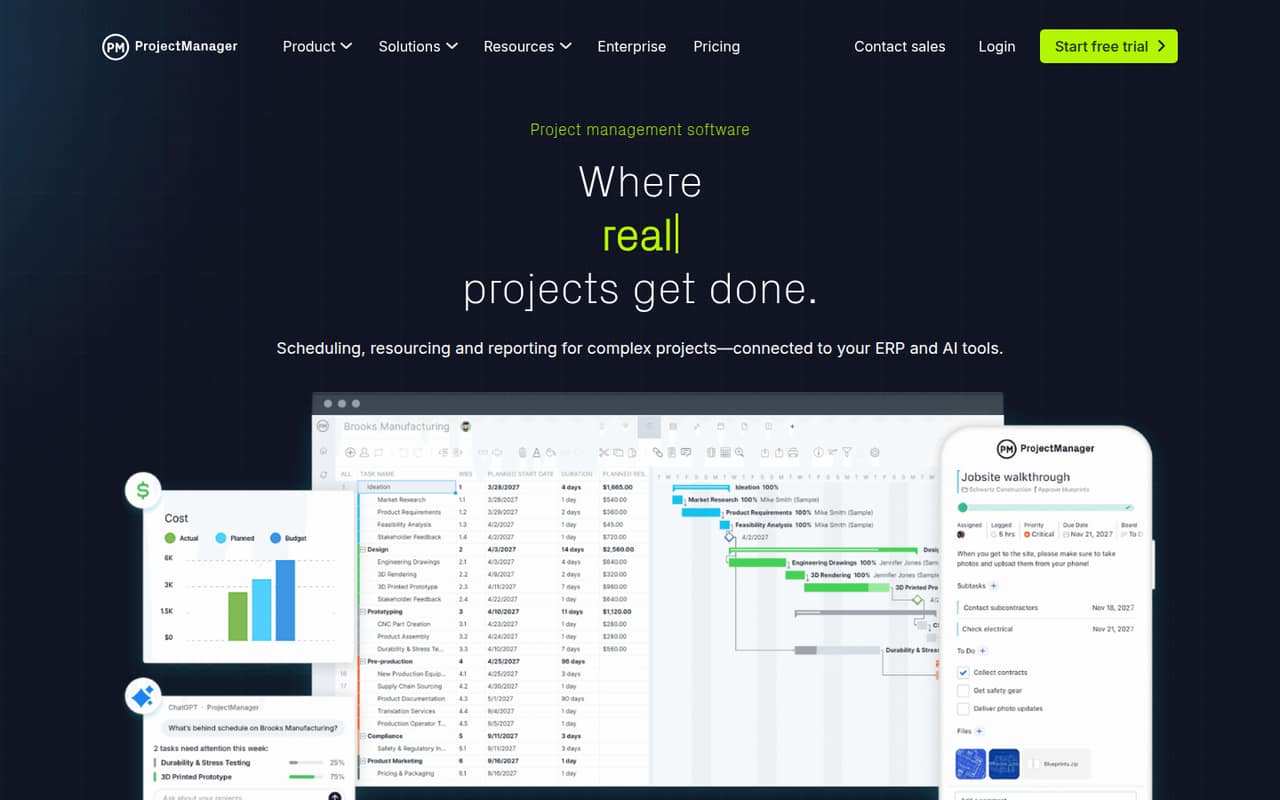
The work it supports includes scheduling tasks with dependencies, tracking time, managing resources, and reporting across a portfolio. That makes it a better fit for teams coordinating work, hours, and budgets across projects than for a group that only needs a basic checklist. Business adds resource management and timesheets, and raises the project limit to 100. If your team needs those tools, compare its per-seat price with the value of keeping project and resource information together.
02ProjectManager.com free plan and trial
ProjectManager.com does not have a free plan. The pricing page lists a 30-day free trial, but doesn’t specify which plan features the trial includes or whether there are restrictions. Confirm those details with the vendor before you build an evaluation around a particular feature.
The cheapest listed way to keep using the product is Team, at $15 per user/month billed annually. It includes up to 10 users, up to 20 projects, 5GB of file storage, unlimited tasks and subtasks, and unlimited free guest licenses. For a solo user, that’s a listed annual-billing equivalent of $15 per month, or $180 for a year. There is no published monthly rate, so ask the vendor for the cost if you don’t want annual billing.
03What a small team pays for ProjectManager.com
The pricing page lists Team at $15 per user/month when billed annually. That works out to $180 per seat per year. One user costs $15 per month equivalent, or $180 billed annually; three users cost $45 per month equivalent, or $540 annually; five cost $75 per month equivalent, or $900 annually. Team covers up to 10 users, with up to 20 projects and 5GB of storage. The page says annual billing can save up to 16%, but does not publish monthly rates, so these figures are not month-to-month prices.
Business is $28 per user/month billed annually: $336 per seat per year, or $84 per month equivalent for three seats and $140 for five. It adds resource management and timesheets, allows up to 100 projects, and includes 25GB of storage. The pricing page lists no add-ons. Team’s unlimited free guest licenses can help when outside collaborators need access, but regular users still count toward the per-seat cost. Custom pricing is quote-based.
04Getting started with ProjectManager.com
ProjectManager’s pricing page does not give a setup-time estimate or name integrations. The feature set points to a few decisions to make before rollout: how to break work into tasks and dependencies, who owns resource schedules, and whether teams will track hours in timesheets. Start with one active project, define roles and permissions, and confirm whether approvals and project restrictions match your process. That’s practical rollout advice, not a published setup recipe.
The product includes desktop and mobile apps, but the pricing details don’t list specific connections to email, chat, storage, or accounting tools. Ask ProjectManager to confirm your required integrations, data import options, onboarding help, and whether the 30-day trial includes the features you plan to evaluate. A small team can then judge fit without assuming setup is plug-and-play.
05When small teams outgrow ProjectManager.com
The first clear ceiling is Team’s limit of 10 users and 20 projects. It also caps file storage at 5GB. A team exceeding those limits may need Business, which has no user limit, supports up to 100 projects, and includes 25GB of storage. The price rises from $15 to $28 per user/month billed annually: an extra $13 per seat each month, or $156 per seat per year.
Business may also make sense before those caps if resource management and timesheets are necessary, since they’re included on that plan. For a team of five, the listed annual-billing equivalent rises from $75 to $140 per month. Custom is the next step for organizations that need unlimited projects and file storage, more automation rules, unlimited automation actions, or SAML single sign-on. It requires a custom quote, so ask for a full cost before planning around it.
Questions people ask
Does ProjectManager.com have a free plan?
No. The pricing page lists a 30-day free trial, but no ongoing free plan. The cheapest listed paid option is Team at $15 per user/month billed annually. Ask the vendor which plan features are available during the trial before relying on it to evaluate a specific capability.
How much does ProjectManager.com cost for three people?
Team costs $15 per user/month billed annually. Three seats work out to $45 per month equivalent, or $540 for the year. The pricing page does not publish a month-to-month rate, so the actual cost for monthly billing should be confirmed with ProjectManager.
How many projects can I manage on Team?
The Team plan includes up to 20 projects, up to 10 users, and 5GB of file storage. It also includes unlimited tasks and subtasks and unlimited free guest licenses. Business raises the project limit to 100 and includes 25GB of storage.
Does ProjectManager.com include mobile apps?
Yes. ProjectManager includes desktop and mobile apps. The mobile app is described as a way to update tasks from a worksite or shop floor. The pricing details don’t specify separate app charges, so confirm any conditions with the vendor.
What does Business add to Team?
Business includes resource management and timesheets, has no user limit, and allows up to 100 projects with 25GB of file storage. It also lists five automation rules per workflow. Its listed price is $28 per user/month billed annually, compared with $15 for Team.