
We may earn a commission if you buy through links on this page. It never changes a score or a ranking. How we make money
The bottom line
Good for automated financial reporting; budget by company and data connections, not seats.
Small accounting and advisory teams may need Reach Reporting if they want to automate client-facing financial reports, dashboards, and forecasts. It is not a month-end close tool, and a bookkeeper on Reddit makes that distinction clear.
There is no free plan. Pricing starts at $129 per company per month with annual billing, and includes unlimited users, so a few extra seats do not raise the bill. The key cost question is how many data connections your company needs.
Good fit if
- Accounting and advisory firms
- Teams sharing client reports
- Multi-entity financial reporting
Skip it if
- Teams needing month-end close tasks
- Buyers who need a free plan
- Companies needing many connections cheaply
ScoresHow it rates
What works
- Unlimited users on each listed plan
- Automated reports with customizable templates
- Interactive dashboards and financial statements
- Forecasting includes balance sheet and cash flow projections
- Consolidates entities and currencies
What doesn't
- No free plan
- Prices are charged per company
- Only one connection on the cheapest plan
- White-label pricing is not published
- Setup effort and supported integrations are not published
01Who Reach Reporting is for
Reach Reporting fits small accounting and advisory teams that need to turn financial and operational data into recurring reports for clients or internal decision-makers. It automates reporting and supports dashboards, budgeting, forecasting, and consolidation. For a team of one to ten, the listed plans include unlimited users, so adding a colleague does not itself change the subscription price.
The job matters more than team size: Reach is for reporting and planning, not for managing month-end close tasks. A commenter on Reddit describes it as a reporting tool for custom dashboards and automated reports, and says it has no month-end close functionality. That distinction can help a small firm avoid paying for the wrong category of tool. The cheapest plan is $129 per company per month with annual billing, but it includes only one data connection. Teams connecting several sources should check the connection tier before choosing.
02Reach Reporting free plan and trial
Reach Reporting does not list a free plan. The vendor has not published trial availability in the pricing information, so ask whether a trial is available before committing. There is no free tier to use indefinitely while a small team decides whether reporting automation is worth paying for.
The cheapest listed way in is 1 Connection, at $129 per company per month when billed annually or $149 per month on monthly billing. It includes one data connection, unlimited users, unlimited deliverables, and pre-built templates. That can cover a team with a single source to connect, but it will not cover additional connections without an added charge or a higher package.
03What a small team pays for Reach Reporting
The 1 Connection plan costs $149 per company monthly, or $129 per month with annual billing. Since it includes unlimited users, one person pays the same company price: $149 monthly or $129 per month on an annual plan. For three people, that works out to about $49.67 per person monthly or $43 per person per month on annual billing. For five people, it is $29.80 or $25.80 per person, respectively. These are per-seat calculations; Reach charges by company, not by seat.
If you need up to 10 connections, the 10 Connections plan is $290 monthly or $203 per month with annual billing. Up to 25 connections costs $550 monthly or $385 per month with annual billing. Additional connections cost $149, $29, or $22 monthly depending on package. White-label branding costs extra, but the vendor does not publish its price. Annual plans are billed yearly, and added companies are charged a prorated annual amount.
04Getting started with Reach Reporting
Reach Reporting's listed features include pre-built templates, customizable reports and dashboards, and a client portal for shared files and access control. Those give a small team a starting point for building reports and sharing them, but the vendor does not publish a typical setup time or describe how much configuration a new account needs. Ask about onboarding and report migration before signing if you have a tight close schedule.
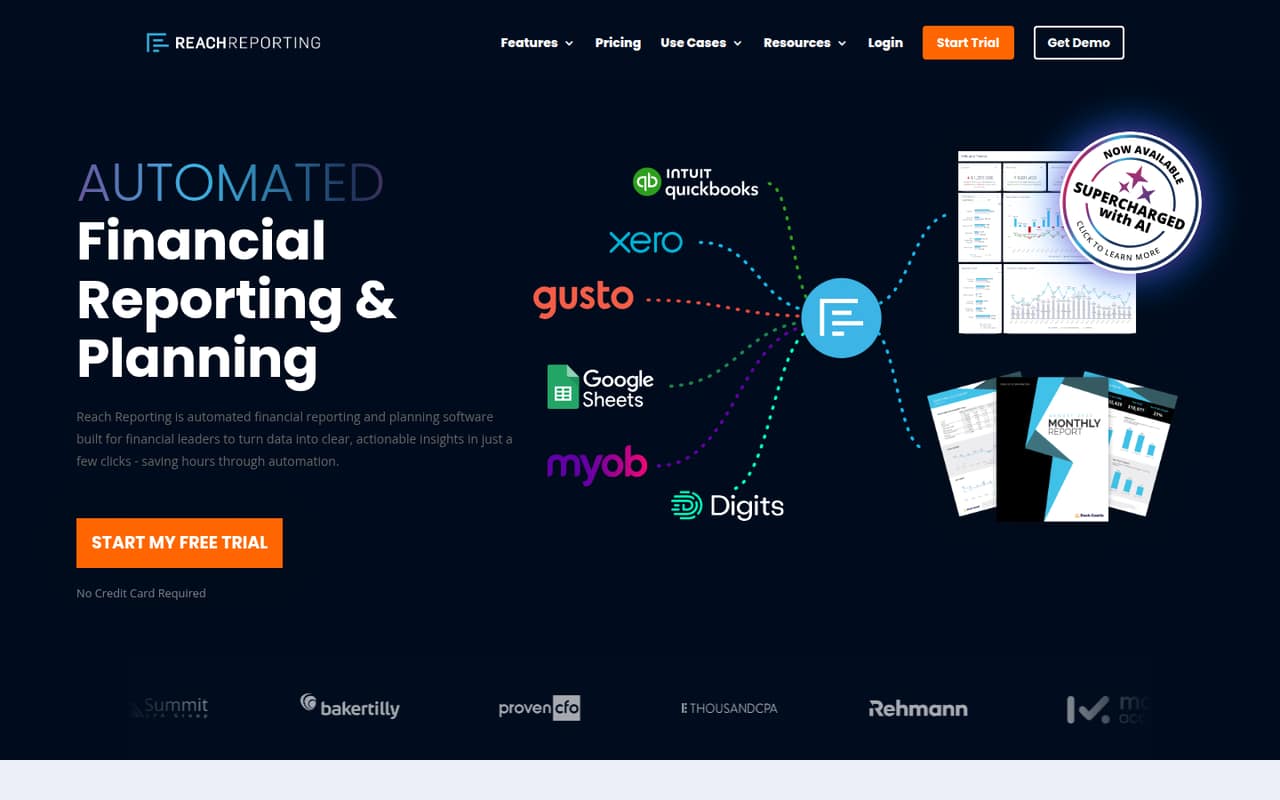
Connection compatibility is a practical day-one question. The pricing page sells plans by the number of data connections, but does not name the supported integrations in the published pricing details. Confirm that your accounting and operational systems are supported, and clarify what counts as a connection. A Reddit commenter says Reach is for reporting and dashboards rather than month-end close, so teams that need close workflows will need another tool for that job.
05When small teams outgrow Reach Reporting
The first pressure point is usually connections, not seats. The 1 Connection plan includes unlimited users, but a team that needs several data sources may need the 10 Connections plan: $203 per month with annual billing or $290 monthly. Beyond that, the 25 Connections plan costs $385 or $550, respectively. Additional connections are also available for a monthly fee that varies by package. Check how your sources map to the tiers before budgeting.
A team can also outgrow Reach if it expects one product to handle both reporting and month-end close. A commenter on Reddit says Reach has no month-end close functionality and describes it as distinct from a tool for close tasks and client communication. Reach's stated focus is reports, forecasts, dashboards, and consolidation. If close management is becoming a requirement, plan for a separate tool or compare products that cover that workflow too.
From the threadsWhat users say
The Reddit discussion is limited, but one commenter gives a clear distinction: Reach is for reporting, while month-end close requires a different workflow tool. That is useful context, not enough evidence to call overall user sentiment broadly positive or negative.
Reach is more a reporting tool where you can make custom dashboards and automated reported
It has no functionality for month end close
Keeper is more so for managing month end close where you can add tasks, communicate with clients etc
My goal is to automate and standardize monthly closes with high quality client reports
Questions people ask
Does Reach Reporting have a free plan?
No. Reach Reporting does not list a free plan. The cheapest listed option is 1 Connection, which costs $129 per company per month with annual billing or $149 per month on monthly billing. Trial availability is not published in the pricing information, so ask the vendor directly if you want to try it before paying.
How much does Reach Reporting cost for a team of three?
The 1 Connection plan costs $149 per company monthly or $129 per month with annual billing, and includes unlimited users. For three people, that is about $49.67 each per month or $43 each per month on annual billing. The total does not change with the number of seats, but you may need a higher connection tier.
Does Reach Reporting handle month-end close?
Reach Reporting focuses on automated financial reporting, dashboards, budgeting, forecasting, and consolidation. A commenter on Reddit says it has no month-end close functionality. If you need task tracking or client communication for the close process, confirm whether you will need a separate tool.
Can Reach Reporting consolidate multiple entities?
Yes. Reach Reporting's listed features include multi-entity consolidation, combining entities and currencies, with drill-down by company, class, and department. The connection tier you need depends on your data sources, so confirm how the vendor counts connections before choosing a plan.
What integrations does Reach Reporting support?
The pricing information lists data connections but does not name specific integrations. Before buying, ask Reach Reporting whether it connects to your accounting and operational systems, how each source is counted, and whether any connection requires an additional monthly fee.