
We may earn a commission if you buy through links on this page. It never changes a score or a ranking. How we make money
The bottom line
Scoro joins project delivery, resourcing, time, and billing, but costs more than a basic project tool.
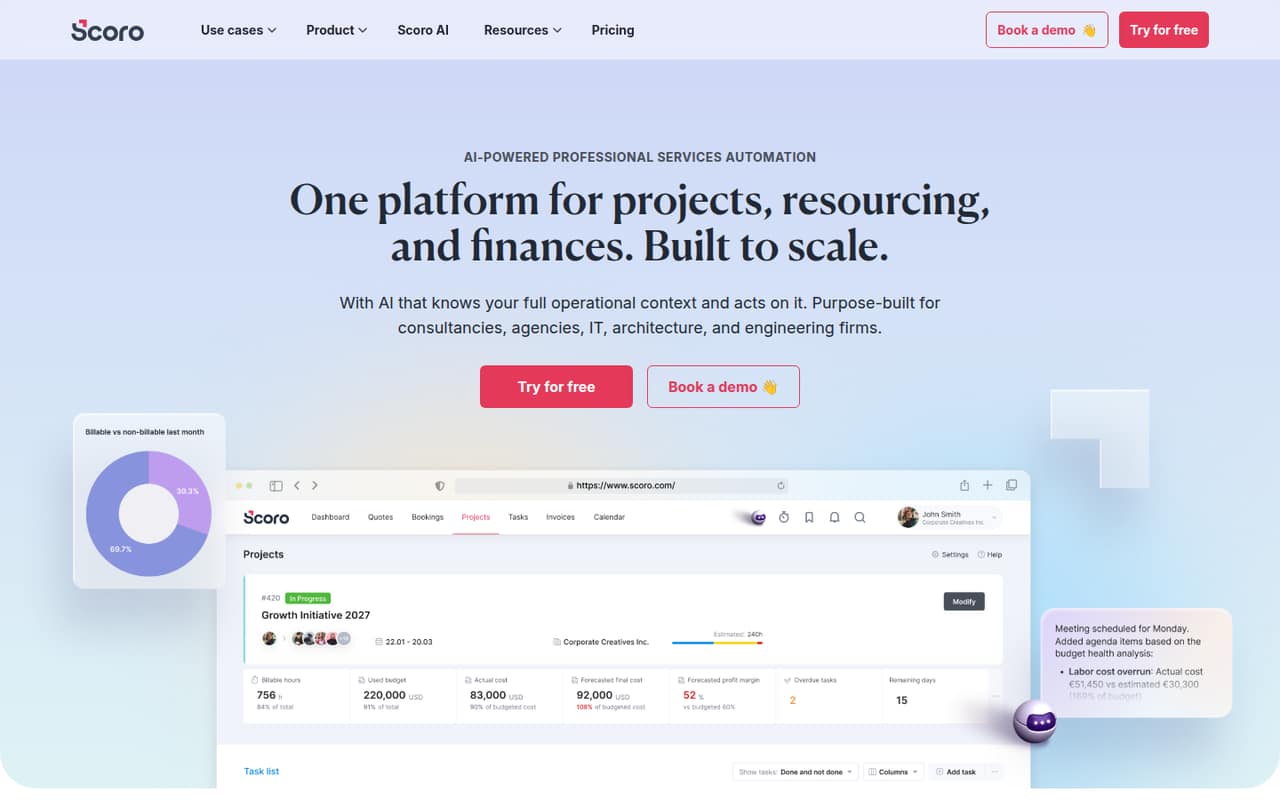
Scoro is a professional services automation platform for firms that want projects, people, time, and finances in one system. Its eight core apps cover work from sales and estimates through delivery, time tracking, and invoicing.
There’s no free plan, and the lowest listed price is $17 per user per month. A small team should weigh that cost against the value of joining these workflows—and check the five-user minimum for app combinations.
Good fit if
- Service firms billing by time
- Teams planning capacity and delivery
- Firms needing project-to-invoice workflows
Skip it if
- Teams looking for free software
- Small teams wanting simple task lists
- Firms needing predictable add-on prices
ScoresHow it rates
What works
- Combines projects, resources, and finances
- Plans start at $17 per user monthly
- Includes timesheets and billable-time tracking
- Supports estimates, budgets, and invoicing
- Offers a 14-day free trial
What doesn't
- No free plan
- Add-on prices are not published
- App combinations require at least five users
- Billing terms for listed rates are unclear
- A Reddit user reports quote-to-invoice and profit-calculation frustrations
01Who Scoro is for
Scoro is aimed at professional service firms that need to manage client work as well as the money and time behind it. It can bring sales pipelines, estimates, project plans, resource scheduling, timesheets, and billing into one system, using a selection of eight core apps.
For a team of one to five, the fit depends on whether those connected workflows replace enough separate tools to justify a per-user subscription. A solo consultant who mainly needs task lists may find the $17 starting price hard to justify. A small agency or service firm that tracks billable time, plans staff capacity, and invoices clients may get more from it. The Projects & Resources and Quote to Cash plans each cost $29 per user monthly; End-to-end, for firms managing the full client lifecycle, is $57. The product is broad, so small teams should settle on the work they need it to handle before choosing apps or a plan.
02Scoro free plan and trial
Scoro has no free plan. The pricing page lists a 14-day free trial, which gives a small team a short window to assess whether its project, resource, time, and finance workflows fit. The trial’s exact feature limits and whether it requires payment details are not published; ask Scoro before signing up if either affects your decision.
After the trial, the cheapest listed way in is Time-billing at $17 per user per month. It includes the Track and Invoice apps, timesheets, billable time and labor costs, invoice generation, and recurring billing. That makes it the relevant starting point for firms billing by time, not a general-purpose free task manager. If your team needs project planning or capacity tools, compare the $29 Projects & Resources plan instead.
03What a small team pays for Scoro
The pricing page lists four per-user monthly prices: Time-billing at $17, Projects & Resources at $29, Quote to Cash at $29, and End-to-end at $57. For one person, those are the listed monthly costs. For three seats, they work out to $51, $87, $87, and $171 per month. For five seats, they come to $85, $145, $145, and $285 per month.
Those are seat-price calculations, not quoted team packages. Scoro does not specify whether the listed rates require annual billing or offer a different month-to-month rate, and annual prices are not published. Ask the vendor to confirm the billing term and total before committing.
All extras are paid add-ons. Listed options include a customer portal, custom modules, extra custom fields, and Goals & OKRs; add-on prices are not published. Combinations require a minimum of five users, so ask which combinations trigger that minimum and how add-ons affect your quote.
04Getting started with Scoro
Scoro brings together several kinds of work, so first decide which workflows you want it to cover: project delivery, resource planning, time and costs, estimates, CRM, or billing. Then match those needs to the apps in the plan. The breadth is useful, but it also means setup is likely to take more planning than adopting a basic task list; that is a practical inference from the range of workflows, not a published setup-time estimate.
Scoro does not publish a setup-effort estimate in the pricing details, and the integrations list does not identify which connections a small team needs on day one. The vendor lists more than 35 extras and integrations, but does not publish add-on prices. Ask Scoro which integrations are included in your plan and what configuration help is available. One Reddit commenter’s general advice on project tools was to build a process around the tool, rather than expecting the software alone to settle how the team works.
05When small teams outgrow Scoro
Scoro’s limits can show up in the budget before the feature set. Each extra seat adds the plan’s per-user price, while the listed app-combination minimum is five users. Add-ons cost extra, and the vendor does not publish their prices. A team that wants only a few basic project features may be paying for more operational scope than it needs; a growing service firm may instead find that one system for delivery and finances is worth the spend.
Reddit feedback is mixed. In one project-management thread, a Scoro user called it powerful but said they disliked how time entries tied to quotes or invoices and how profit was calculated. That is one user’s report, not a universal limitation, but firms relying on those links should check the workflow during the trial. If the cost or those workflows stop fitting, compare tools built around the specific quoting, invoicing, and project processes your team uses.
From the threadsWhat users say
Reddit sentiment is mixed: one user describes Scoro as powerful but reports frustrations with time entries, quotes, invoices, and profit calculations. A separate discussion offers little Scoro-specific feedback, so the available comments are too limited to establish broad user sentiment.
It is still very good one for a small team/agency though
Its nice and powerful, but there's quite a few things about the platform I just can't stand
especially when it comes to tying time entries to quotes and/or invoices
and how it calculates profit
Questions people ask
How much does Scoro cost?
The pricing page lists rates from $17 per user per month for Time-billing. Projects & Resources and Quote to Cash are each $29 per user monthly, and End-to-end is $57. Scoro does not specify whether these rates require annual billing or list annual prices, so confirm the billing term and total with the vendor.
Does Scoro have a free plan?
No. Scoro has no free plan, but the pricing page lists a 14-day free trial. The vendor does not publish the trial’s exact feature limits or whether payment details are required, so check those details before starting.
What does Scoro do?
Scoro is a professional services automation platform that brings projects, resources, and finances into one system. Its apps cover workflows such as CRM and sales pipelines, estimates and budgets, project delivery, time tracking, resource planning, and client billing.
Is Scoro an ERP system?
Scoro is described as professional services automation software, not as an ERP system. It does bring project work, resources, time, and finances together, including estimates, billing, and financial reporting. Whether that replaces any ERP functions your firm needs depends on your requirements; ask Scoro to confirm specific workflows.
Which Scoro plan should a small service firm choose?
Choose based on the work you need to manage. Time-billing starts at $17 per user monthly and covers time tracking and invoicing. Projects & Resources is $29 for project planning and capacity needs; Quote to Cash is also $29 for estimates, delivery, and invoicing. End-to-end costs $57 and includes all eight core apps.