
We may earn a commission if you buy through links on this page. It never changes a score or a ranking. How we make money
The bottom line
A strong fit for software teams, as long as the free tier or annual Team billing suits your budget.
Small software teams that need issue tracking, sprints, roadmaps, and objectives can get a lot from Shortcut’s Free plan: it supports up to 10 users, one team, and one customizable workflow. It also includes work tracking for AI agents as part of the product’s feature set.
The first paid plan is Team, listed at $8.50 per user per month on yearly billing. That is $25.50 monthly equivalent for three seats or $42.50 for five. Shortcut offers monthly billing, but doesn’t publish that rate, so check the price before committing.
Good fit if
- Software teams tracking issues and sprints
- Teams that can stay within one workflow
- Small teams comfortable with yearly billing
Skip it if
- Teams needing several workspaces on a budget
- Buyers who require a published monthly rate
- Teams needing guaranteed setup guidance
ScoresHow it rates
What works
- Free plan supports up to 10 users
- Free includes issue tracking and one workflow
- Roadmaps connect projects with health and target dates
- Team includes up to five teams
- Work tracking includes work handled by AI agents
What doesn't
- Free is limited to one team and one workflow
- Team's published price is for yearly billing
- Monthly paid prices are not published
- Team has one workspace and five workflows maximum
- Business SSO and SCIM add-on prices are not published
01Who Shortcut is for
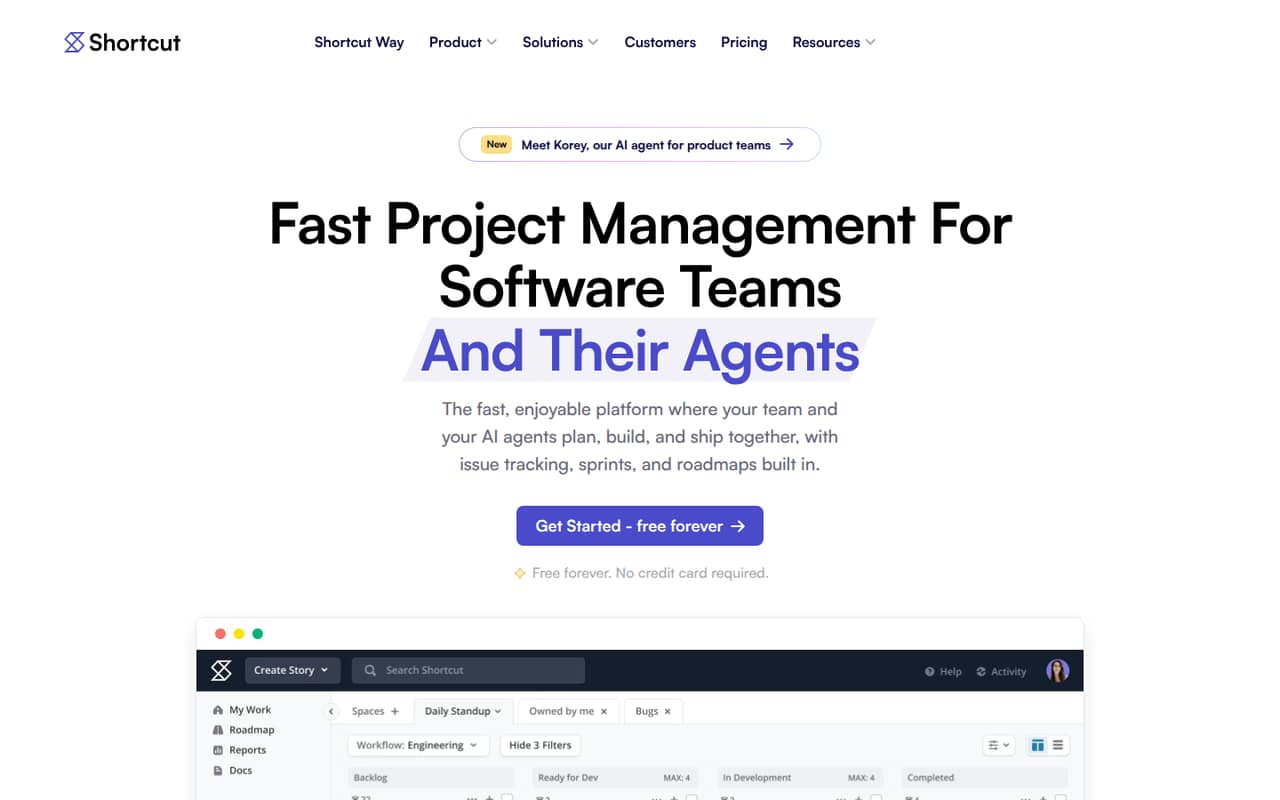
Shortcut is for software teams that need one place to plan, track, and ship work. It brings issue tracking, sprints, roadmaps, objectives, and customizable workflows together, with work handled by people or AI agents tracked in the same system.
For a team of one to 10, the Free plan may be enough if one team, one workspace, and one workflow cover the work. It includes up to 10 users and 5 GB of storage, so a small team can start without a subscription. The Team plan makes more sense when you need up to five teams, up to five workflows, or 250 GB of storage. Its listed rate is $8.50 per user per month on yearly billing. That makes it a better fit for a software team with a steady budget than for a buyer who needs a flexible monthly price.
02Shortcut free plan and trial
Shortcut’s Free plan costs $0 and includes one team, up to 10 users, one workspace, one customizable workflow, and 5 GB of storage. That is a meaningful starting point for a small software team working within a single shared process. The plan’s limits are clear: you’ll need to upgrade for more than one team or workflow, or for more storage than the included 5 GB.
Shortcut also offers a 14-day free trial. The pricing page does not specify which paid plan the trial covers or what happens to work after it ends, so confirm those details before relying on it. If the Free plan’s limits are too restrictive, Team is the cheapest paid option listed, at $8.50 per user per month on yearly billing.
03What a small team pays for Shortcut
The pricing page lists Team at $8.50 per user per month on yearly billing. At that rate, one seat is $8.50 monthly equivalent, or $102 for a year. Three seats come to $25.50 monthly equivalent, or $306 a year; five seats cost $42.50 monthly equivalent, or $510 a year. Those are calculations from the listed per-seat rate, not monthly-billing prices.
Monthly billing is offered, but Shortcut doesn’t publish its price, so ask for a quote if you don’t want to pay yearly. Team includes unlimited users, up to five teams, one workspace, up to five customizable workflows, and 250 GB of storage. Up to five read-only users are listed per paid seat; pricing for extra read-only seats isn’t published. SSO and SCIM are Business add-ons, with prices not published. For a team that fits the Free plan’s limits, the cost can stay at $0.
04Getting started with Shortcut
Shortcut’s listed features give a small team a basic place to start: track issues, organize weekly work with Iterations, and set workflow limits to manage work in progress. Roadmaps can map projects across teams, while Objectives connect projects to company goals. Teams can also track work handled by AI agents.
The vendor doesn’t publish a setup-time estimate in the pricing information, and it doesn’t name integrations there. That makes it hard to estimate the work involved in configuring a team’s workflow or connecting its existing tools from the pricing page alone. Before choosing a plan, check Shortcut’s documentation for the specific integrations and setup steps your team needs. Start by confirming whether one customizable workflow is enough, or whether your team’s process calls for the five workflows available on Team.
05When small teams outgrow Shortcut
The first upgrade trigger is Free’s one-team, one-workflow, and 5 GB limits. If your team needs more teams or workflows, or more storage, Team raises those limits to five teams, five workflows, and 250 GB. At the listed yearly-billing rate, every paid seat adds $8.50 per month equivalent; three seats are $25.50 and five are $42.50.
Team still has one workspace. A growing company that needs multiple workspaces, unlimited teams, or unlimited workflows would need Business, which lists those features at $12 per user per month on yearly billing. Business also lists 250 GB of storage, so it doesn’t increase that figure over Team. SSO and SCIM are Business add-ons, while Enterprise lists them as included. Shortcut doesn’t publish monthly rates or add-on prices, so those costs may be the point to ask for a quote and compare alternatives.
Questions people ask
Is Shortcut free?
Yes. Shortcut’s Free plan costs $0 and includes one team, up to 10 users, one workspace, one customizable workflow, and 5 GB of storage. It may work for a small team with a simple shared process.
How much does Shortcut cost per month?
Team is listed at $8.50 per user per month on yearly billing. That is $25.50 monthly equivalent for three seats and $42.50 for five. Shortcut offers monthly billing, but doesn’t publish that price.
Does Shortcut include AI agents?
Shortcut describes AI agents as a feature for scoping tasks, writing PRs, and tracking progress. The pricing details don’t specify which plans include the feature or list a separate AI-agent price, so confirm plan access with Shortcut.
Does Shortcut offer a free trial?
Yes. Shortcut lists a 14-day free trial. The pricing information doesn’t specify which paid plan the trial covers, so check with the vendor before signing up if you need a particular plan’s features.
What does Shortcut Team include?
Team includes up to five teams, unlimited users, one workspace, up to five customizable workflows, and 250 GB of storage. Its listed price is $8.50 per user per month on yearly billing.