
We may earn a commission if you buy through links on this page. It never changes a score or a ranking. How we make money
The bottom line
A generous free start for AI apps and workflows, with a learning curve to budget for.
A small team does not need Taskade just to manage a to-do list. It makes more sense if you want one workspace for prompt-built apps, AI agents, automations, portals, and dashboards. The free plan gives you room to try the basics before paying.
Paid plans start at $6 per month when billed yearly, with a three-user limit on Starter. Reddit users describe both useful collaboration features and friction around learning the system, organizing projects, and editing text.
Good fit if
- Small teams building AI-powered workflows
- Founders prototyping business apps
- Teams that want cloneable templates
Skip it if
- Teams needing only basic task lists
- People who want a simple setup
- Teams needing published monthly rates
ScoresHow it rates
What works
- Free plan includes three AI apps
- Free plan includes one workspace
- Starter supports three users
- Templates cover CRMs, portals, and dashboards
- Paid plans include monthly AI credits
What doesn't
- Monthly billing rates are not published
- Free plan has just ten monthly automation runs
- Add-on prices are not published
- Some Reddit users report a steep learning curve
- Reddit users report text-editing frustrations
01Who Taskade is for
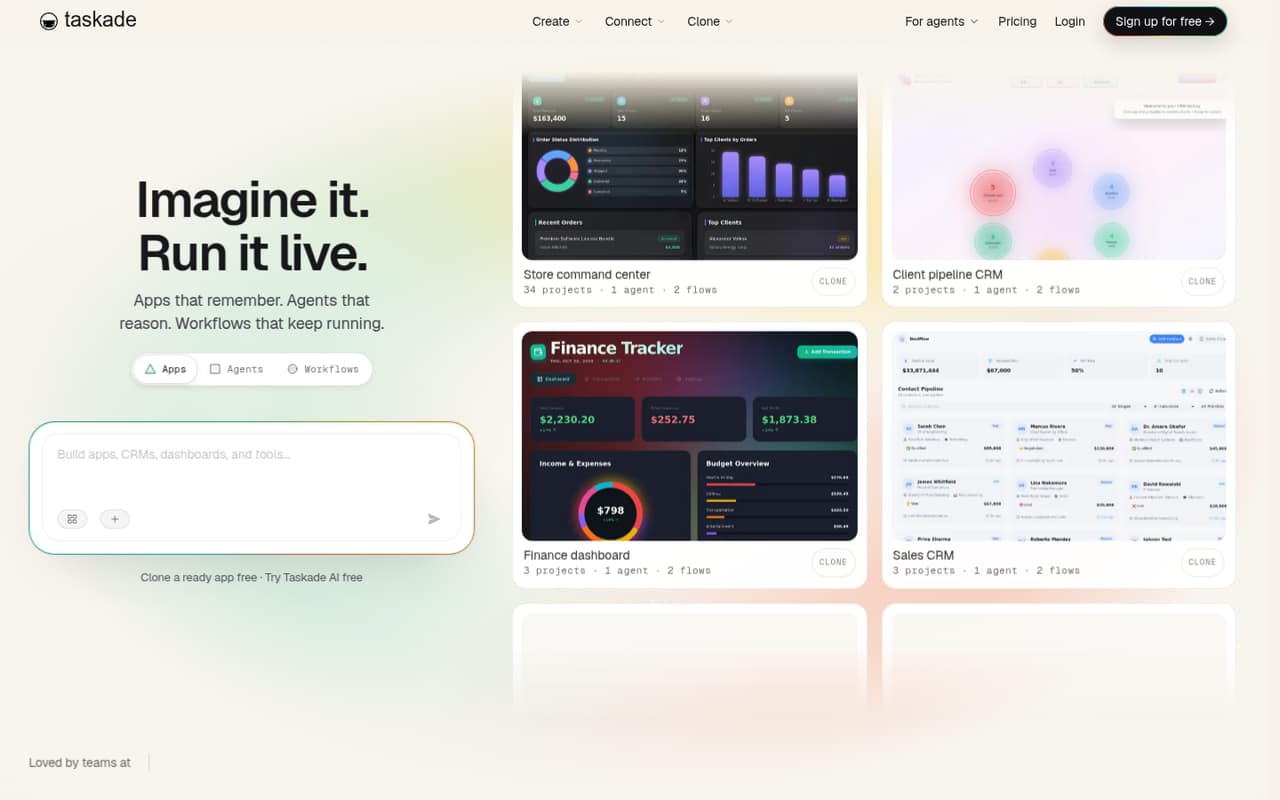
Taskade is aimed at small teams that want more than shared task lists. It combines a workspace with tools for building apps from prompts, adding AI agents, automating workflows, publishing branded portals, and tracking KPIs in live dashboards. Cloneable templates offer a starting point for CRMs, trackers, portals, and dashboards.
For a solo founder or a team of up to three, the free plan is a low-risk way to see whether those pieces fit the work. Starter is the first paid option for a small team, while Pro allows up to 10 users. That makes it worth considering if your team wants to build and run workflows in one place. If you only need basic task management, or prefer a less structured writing and database workspace, Taskade may be more tool than you need.
02Taskade free plan and trial
Taskade's Free plan includes three AI apps, one workspace, 10 automation runs per month, and 250 MB of storage. That is enough to try building an app or a basic workflow without paying, but the automation allowance is small if you expect to run processes often.
A separate free trial is not listed. For more room, Starter is the cheapest paid plan: the pricing page lists three users, 10,000 AI credits per month, three AI agents, 5 GB of storage, and 350 automation runs per month. Its listed price is a monthly equivalent billed yearly. If you're still figuring out whether Taskade fits, start on Free and check which limits you actually hit before committing.
03What a small team pays for Taskade
The pricing page lists Starter at $6 per month, billed yearly, for up to three users. That is $72 for a year, or $2 per included seat per month if all three seats are used. A solo user can also buy Starter at the same $6 monthly equivalent, though the plan includes room for three users.
For a five-person team, Pro is the first listed plan with enough seats: $10 per month billed yearly, or $120 for the year. With five people using it, that works out to $2 per person per month; Pro allows up to 10 users. These are plan totals, not a published per-seat rate. Monthly billing prices are not published, so ask Taskade about the cost if you do not want annual billing. The vendor also lists additional AI credits, auto top-up, and domains as add-ons, but does not publish their prices.
04Getting started with Taskade
Taskade offers cloneable templates for CRMs, portals, dashboards, trackers, and other tools, which can give a team a starting point instead of a blank page. You can also describe an app idea in a prompt and build around agents and automations. The amount of setup that takes will depend on how much you customize the workspace and workflows.
Reddit users report that getting oriented can be a challenge: one commenter wanted more beginner-friendly tutorials for the AI features, while others said project and folder organization became confusing. One person also described difficulty editing and selecting text. The pricing page does not list integrations, so before adopting Taskade, check with the vendor about any must-have connections and how they work. Give the team time to agree on a workspace structure before adding lots of projects.
05When small teams outgrow Taskade
The first limits to watch are the Free plan's 10 automation runs per month, one workspace, and 250 MB of storage. Starter raises those allowances and supports three users, but a team of four or more needs Pro, listed at $10 per month when billed yearly. Pro allows up to 10 users; teams that need more seats must look at Business, listed at $25 per month billed yearly.
A bigger concern may be whether the workspace stays manageable as projects multiply. Reddit users describe confusion around organizing projects and folders, and some say they feel overwhelmed learning the AI features. Other commenters report text-editing frustrations. In a separate thread about Taskade's app-building feature, a user described trouble recovering when a build went wrong. Treat those as individual reports, not guaranteed outcomes, and test your own workflow before moving important processes into the platform.
From the threadsWhat users say
Reddit sentiment is mixed: users praise Taskade's collaborative, flexible approach, while others report a learning curve, organization problems, and text-editing frustrations. Some discussion also flags uncertainty around recovering a broken app build.
Taskade is first and foremost optimized for collaboration and remote team work
Editing text. Selecting text is harder now and we can no longer drag and drop anymore
When Taskade breaks, you’re stuck
Questions people ask
What can Taskade do?
Taskade combines a workspace with tools for building apps from prompts, adding AI agents, and automating workflows. It also supports branded portals, live KPI dashboards, and cloneable templates for things such as CRMs, trackers, and portals. It is best suited to teams that want to build workflows and apps, not just keep a simple task list.
Is Taskade free to use?
Yes. Taskade's Free plan includes three AI apps, one workspace, 10 automation runs per month, and 250 MB of storage. A separate free trial is not listed. If you need more users, storage, AI credits, or automation runs, the first paid option is Starter, listed at a $6 monthly equivalent billed yearly.
How much does Taskade cost for a small team?
The pricing page lists Starter at $6 per month billed yearly and allows three users, making the annual total $72. A five-person team needs Pro, listed at $10 per month billed yearly, or $120 for the year. Monthly billing rates are not published, so ask Taskade for a monthly quote if annual billing is not suitable.
Is Taskade easy to set up?
Taskade has cloneable templates and prompt-based app building that can help teams get started. But Reddit users report that learning the AI features and organizing projects can feel overwhelming, and some mention text-editing frustrations. Plan time to set up a structure for projects and check that the workspace fits your team's routine.
When should a team move beyond Taskade?
Consider a higher plan when you hit a user, storage, AI-credit, or automation limit. Starter supports three users, while Pro supports up to 10; Business allows unlimited users. You may also want to reconsider the tool if your team finds its project structure hard to manage or the learning curve outweighs the value of its app-building features.
Sources
- Taskade homepage
- Taskade pricing page
- Reddit: Has anyone tried Taskade? If so, how does it compare to Notion?
- Reddit: What do you struggle the most with Taskade?
- Reddit: Taskade The Good, The Ugly And Some in Between - Post Genesis
- Reddit: From 2018-2024 this app saved me from my ADHD and allowed me to reach heights I genuinely never thought possible for myself with how much trouble I have focusing.