
We may earn a commission if you buy through links on this page. It never changes a score or a ranking. How we make money
The bottom line
Start free for personal tasks; budget for Business when your team needs shared workspaces.
Todoist makes sense if your small team needs a straightforward place to capture tasks, set priorities, schedule recurring work, and keep team projects separate from personal ones. The free Beginner plan is useful for individual task management, but shared workspaces point you toward Business.
That per-seat pricing adds up: three Business seats cost $30 monthly or $24 per month when billed annually. Reddit reactions are mixed, with some users praising Todoist as their go-to task manager and others objecting to price changes, AI features, or reported reliability issues.
Good fit if
- Individuals organizing daily tasks
- Small teams sharing project tasks
- Teams that value recurring schedules
Skip it if
- Teams needing free shared workspaces
- Buyers avoiding per-seat subscriptions
- People who dislike AI features
ScoresHow it rates
What works
- Free Beginner plan includes five personal projects
- Natural-language task capture is included
- Recurring tasks and calendar view support scheduling
- Team space separates shared work from personal projects
- Templates cover work, education, and personal tasks
What doesn't
- Beginner is limited to five personal projects
- Business costs $10 per user monthly
- Annual Business billing requires $96 per user upfront
- Todoist Assist may not appeal to AI-averse users
- One Reddit user reported recurring tasks stopping
01Who Todoist is for
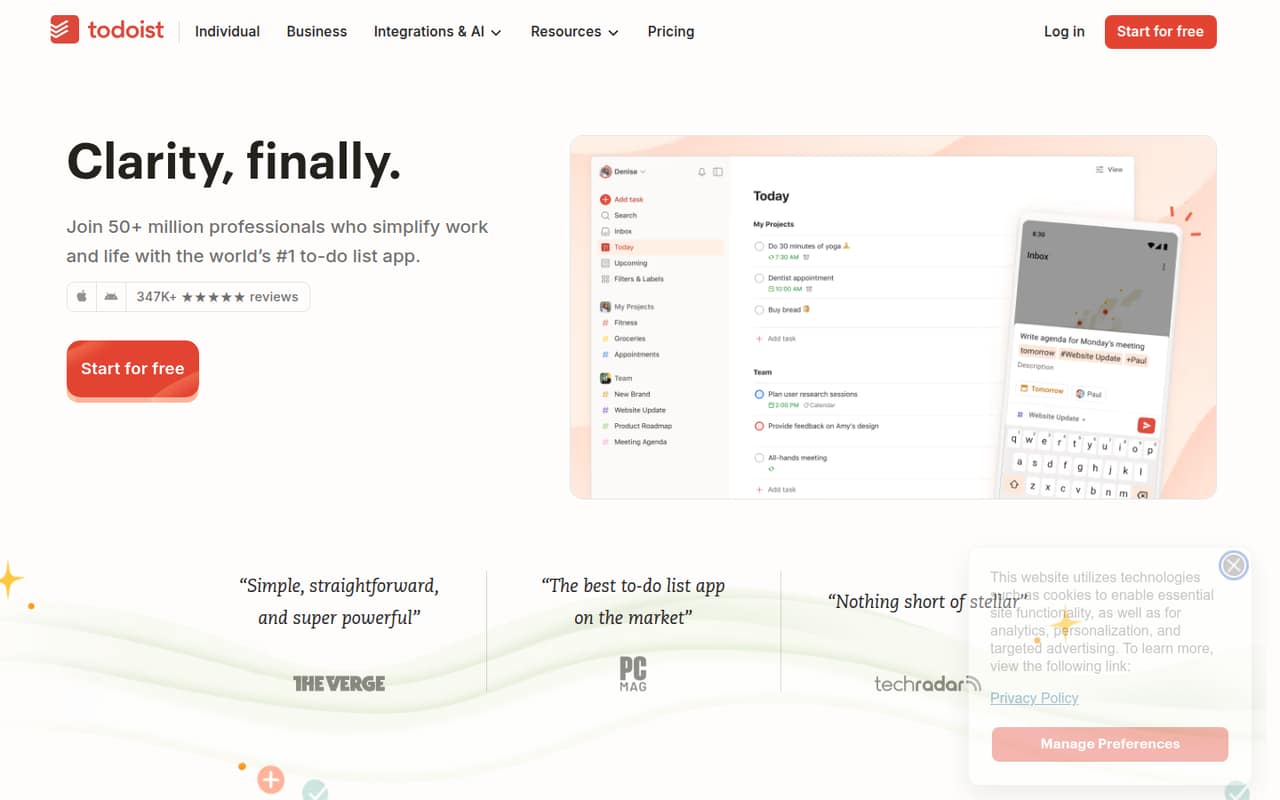
Todoist suits individuals and small teams that want a shared task list, not a complicated system for managing every part of a business. It helps people capture tasks in natural language, organize them into Today, Upcoming, or custom filters, and schedule work with due dates and recurring tasks.
For a team of one, the free Beginner plan is a sensible place to start. For a team of 3–10 that needs shared workspaces, Business is the plan to price out: it is listed at $8 per user per month billed annually or $10 billed monthly. That means the cost rises with every seat, so decide whether everyone needs a paid account before moving shared work into Todoist.
Todoist also offers templates for areas such as marketing, management, education, and customer support. Its AI features, called Todoist Assist, are intended to turn scattered tasks into action plans. That is useful if your team wants help organizing work, but it may be unnecessary if all you need is a basic list.
02Todoist free plan and trial
The free Beginner plan includes five personal projects, three filter views, 5 MB file uploads, and one week of activity history. That is enough to try Todoist for personal task management and see whether its task capture, scheduling, and organization suit your routine.
The plan is described for individuals starting with task management. Its listed allowances are personal projects, so a team that needs a shared workspace should check Business rather than assume Beginner covers collaboration. The next plan, Pro, costs $5 per month billed annually or $7 billed monthly, and adds 300 personal projects, 150 filter views, 100 MB file uploads, calendar and table layouts, and full reporting history.
A free-trial length is not published. You can start with the free plan instead; there is no need to budget for a trial to explore the basic personal-task setup.
03What a small team pays for Todoist
For one person, Pro is the paid individual plan: $5 per month when billed annually, or $7 month to month. Annual billing comes to $60 for the year. Business is listed at $8 per user per month billed annually, or $10 per user per month billed monthly.
At three Business seats, that is $24 per month equivalent, billed as $288 annually, or $30 each month without annual billing. Five seats cost $40 per month equivalent, billed as $480 annually, or $50 month to month. The plan includes up to 500 team projects, 1,000 team members and 1,000 guests, and 250 people per team project.
The main cost to watch is the per-user jump: adding people adds to the bill. The pricing lists 100 MB file uploads per Business user and does not list add-ons. It does not publish an overage price for file uploads, so ask Todoist before relying on storage beyond the included limit.
04Getting started with Todoist
For a basic start, choose a few projects, add tasks, and use due dates or recurring schedules to keep work moving. Natural-language capture is designed to help add and organize tasks without filling out a long form. Teams can keep shared work in a team space separate from personal tasks and projects.
The learning curve should be manageable for a team that already understands projects, task lists, and due dates. The bigger setup decision is how to divide work: keep personal tasks private, create team projects for shared responsibilities, and decide who needs a paid seat. Templates can give teams a starting point for areas such as marketing, management, education, and customer support.
Todoist does not publish a setup-time estimate or a day-one integration checklist in its listed features. The feature list also does not name specific integrations. If your team depends on a calendar, chat, or other tool connection, confirm that connection with Todoist before making it part of your workflow.
05When small teams outgrow Todoist
The first ceiling is the free plan's five personal projects and three filter views. Pro expands those personal limits, but a team that needs shared workspaces should budget for Business: the listed rate is per user, so adding seats raises the bill. Business includes up to 500 team projects and 250 people per team project, which gives teams room to grow within those stated limits.
A different kind of growing pain is fit. Todoist focuses on tasks, priorities, schedules, and shared projects; if your team needs a broader system, confirm that it covers your workflow before standardizing on it. The listed features do not describe more advanced project-management functions or integration details.
Reddit reactions offer a useful caution, not a consensus: some commenters object to pricing changes and AI features, while one user reported recurring tasks stopping. Another commenter said switching is difficult when they rely on Todoist's API. If you depend on a specific feature, test that workflow and check current plan terms before moving a whole team.
From the threadsWhat users say
Reddit sentiment is mixed. Some users say they keep returning to Todoist, while others criticize pricing changes, AI features, and a reported recurring-task issue.
I think they should probably have a seperate AI tier
Switching task managers is a huge pain in the ass though
Whatever else I try, I always come back to Todoist, and I've tried everything
I recently found that bug where recurring tasks STOPPED!
Questions people ask
Is Todoist totally free?
Todoist has a free Beginner plan, but it has limits: five personal projects, three filter views, 5 MB file uploads, and one week of activity history. Pro and Business are paid plans. Teams looking for a shared workspace should check Business rather than assume the free personal plan covers their collaboration needs.
Does Todoist offer a free trial?
A free-trial length is not published. Todoist does offer a free Beginner plan, so you can start with its listed personal-task allowances: five projects, three filter views, 5 MB file uploads, and one week of activity history.
Can a team keep personal and shared tasks separate?
Yes. Todoist describes a shared team space that is separate from personal tasks and projects. Business is the plan listed for teams needing shared workspaces and controls, with pricing charged per user.
What does Todoist Assist do?
Todoist Assist is described as a set of AI features that helps turn scattered tasks into clear action plans. The feature description does not detail specific prompts or limits, so check Todoist's current plan details if a particular AI workflow matters to your team.
Can Todoist schedule recurring tasks?
Yes. Todoist lists recurring tasks as a scheduling feature, alongside due dates and calendar view. One Reddit user reported a problem where recurring tasks stopped, so teams that rely on recurring reminders may want to verify that their specific workflow is working as expected.