
We may earn a commission if you buy through links on this page. It never changes a score or a ranking. How we make money
The bottom line
Worth trying for frequent dictation; budget for Pro if your team needs shared tools.
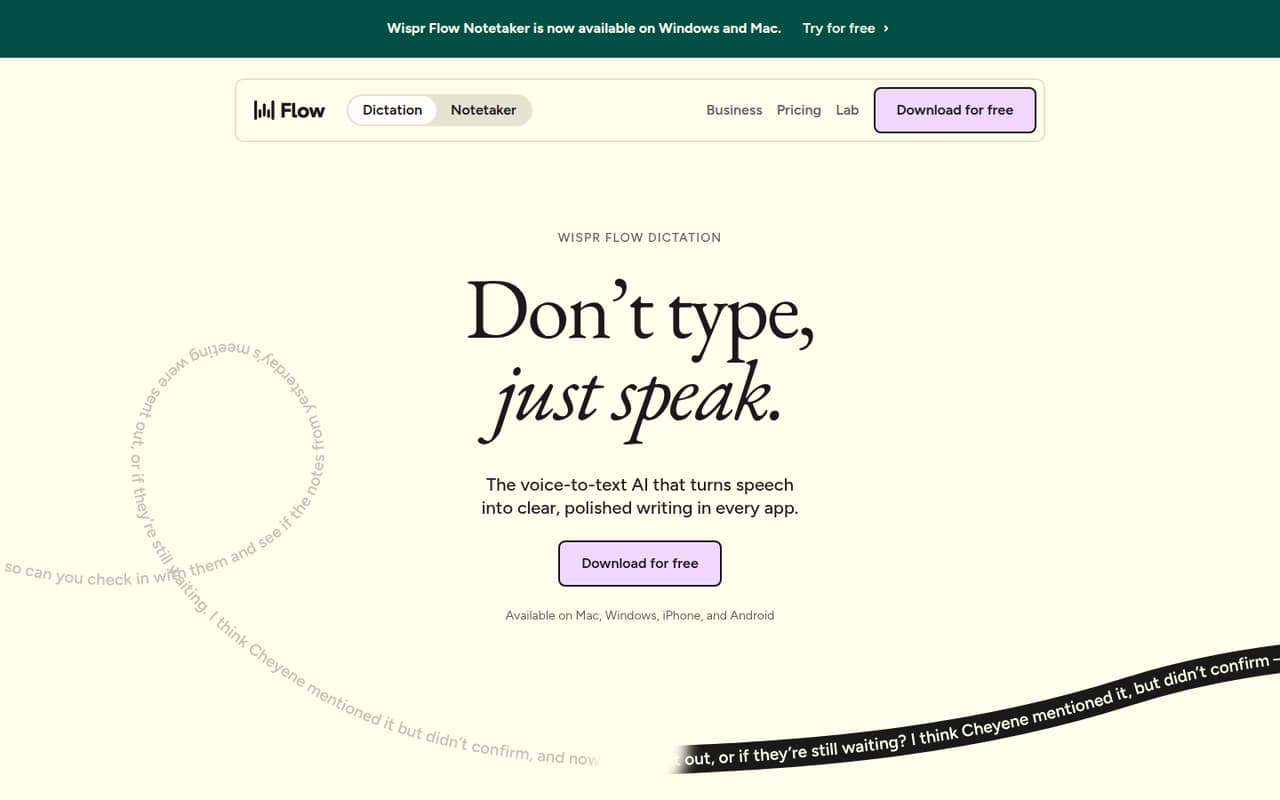
A small team that writes across several apps may get real value from Wispr Flow: it turns natural speech into polished text, works anywhere you can type, and has a free plan. The product lists support for Mac, Windows, iOS, and Android, plus more than 100 languages.
The free plan’s exact usage limits aren’t published. Pro starts at $12 per person per month with annual billing, or $15 month to month. That’s a reasonable test for one person, but a recurring cost to weigh before rolling it out across a team.
Good fit if
- People who dictate across apps
- Small teams writing frequent messages
- Multilingual dictation users
Skip it if
- Teams avoiding recurring subscriptions
- Organizations needing published usage caps
- Teams requiring advanced admin controls
ScoresHow it rates
What works
- Dictates in any app without plugins
- Free plan supports four major platforms
- Pro includes unlimited dictations
- Supports more than 100 languages
- Reddit users praise its speed and onboarding
What doesn't
- Free plan’s dictation cap isn’t published
- Pro costs $12–$15 per person monthly
- Team features start with paid Pro
- Notetaker add-on pricing isn’t published
- Some displayed Growth prices lack explanation
01Who Wispr Flow is for
Wispr Flow makes sense for a one-to-ten-person team that writes plenty of messages, emails, or work notes and would rather speak than type. It listens to natural speech, removes filler words, adds punctuation, and turns corrections into cleaner text as you go. The product says you can use it in any app where you can type, without plugins.
The free plan is a low-risk way for one person to see whether dictation fits their work. For a team, Pro is the first listed plan with shared dictionaries, snippets, a team workspace, and usage analytics. It costs $12 per person monthly with annual billing or $15 month to month, so a five-person team pays $60 or $75 per month, respectively. Teams that need SSO or organization-wide compliance controls will need to look at Growth. If dictation is occasional, the free plan or a built-in option may be enough.
02Wispr Flow free plan and trial
The pricing page lists a free plan with dictation in any app, support for more than 100 languages, and Mac, Windows, iOS, and Android versions. It also includes limited Notetaker access. That makes Free a sensible starting point for one person—or a small team trying the basic dictation workflow before paying.
The pricing page doesn’t publish a specific free dictation quota, so we can’t say how many minutes or words it covers before you hit a limit. One Reddit commenter said they had never exceeded the free limits, but that’s one person’s experience, not a published allowance. A free trial is not listed. Pro is the cheapest paid plan and adds unlimited dictations, shared vocabulary tools, team features, and priority support.
03What a small team pays for Wispr Flow
Pro is the cheapest listed plan for teams that want shared dictionaries, snippets, a team workspace, and usage analytics. The pricing page lists it at $15 per user per month with monthly billing, or $12 per user per month with annual billing; the annual price is a monthly equivalent and the page advertises a 20% discount. One person pays $15 or $12 monthly. Three people pay $45 or $36; five pay $75 or $60. The page doesn’t list a seat minimum.
Growth is for teams needing SSO with SAML, HIPAA enforcement with a signed BAA, multiple domains, or admin tools. It lists $23 per user monthly, or $18 with annual billing. That’s $69 or $54 for three people, and $115 or $90 for five. The comparison also displays Growth prices of $33 and $26 per user without explaining what they apply to, so ask Wispr before budgeting around them. Unlimited Notetaker is marked as an add-on for Growth and Enterprise in the comparison table, but the add-on price isn’t published.
04Getting started with Wispr Flow
Wispr Flow's website says it works in any app where you can type and needs no plugins. It lists Mac, Windows, iOS, and Android support on Free, so a team can consider it across those platforms without buying a separate plan for each listed device type. The product also describes automatic language detection and personal vocabulary features.
The exact installation and team rollout steps aren’t published in the pricing details. One Reddit thread comparing Wispr Flow with another dictation app praised its onboarding as easy and well done, though that’s an individual report. For day one, a team mainly needs to choose a device, set up dictation, and decide whether shared vocabulary and writing styles are useful. The product describes custom styles for messages, chats, and email; specific connections to team chat or document tools aren’t listed as integrations.
05When small teams outgrow Wispr Flow
The first pressure point is price: Pro is charged per user, so five seats cost $60 per month with annual billing or $75 month to month. Growth raises that to $90 or $115 for five seats and is the listed step up for SSO, HIPAA controls, multiple domains, and expanded admin tools. Enterprise pricing is custom, so larger organizations will need a quote.
A second pressure point is uncertainty around limits and add-ons. The free dictation allowance isn’t spelled out, and the price for Unlimited Notetaker as an add-on isn’t published. The pricing page also shows two unexplained Growth prices, so confirm what they represent before committing. Reddit users in a system-wide dictation discussion called out the search for more sustainable pricing; another commenter said they had not exceeded Free’s limits. If your team wants a one-time purchase or offline dictation, commenters mention alternatives, but you’ll need to check their current features and prices separately.
Questions people ask
Is Wispr Flow completely free?
No. Wispr Flow lists a Free plan with dictation in any app, more than 100 languages, support for Mac, Windows, iOS, and Android, and limited Notetaker access. Pro and Growth are paid per-user plans. The pricing page doesn’t publish Free’s exact dictation quota, so check the current plan details if you expect heavy use.
Can you use Wispr Flow on multiple devices?
The Free plan lists Mac, Windows, iOS, and Android support. That confirms the product is available across those platforms, but the pricing information doesn’t explain whether one account can be active on multiple devices at once or whether there are device limits. Ask Wispr about account and device rules if that matters to your team.
What does Wispr Flow Pro include?
The pricing page lists unlimited dictations, unlimited Notetaker history, shared dictionary and snippets, a team workspace, usage analytics, and priority support with Pro. It costs $15 per user per month with monthly billing or $12 per user per month with annual billing, shown as a monthly equivalent.
Does Wispr Flow work in every app?
Wispr Flow describes itself as working in any app where you can type, with no plugins required. The product also lists Mac, Windows, iOS, and Android support on its Free plan. The published details don’t name specific app integrations, so check with Wispr if you need a particular workflow or app confirmed.
What happens when I reach the Free plan limit?
The pricing page lists Free as including dictation and limited Notetaker access, but it doesn’t state the dictation cap or explain what happens when a user reaches it. Pro includes unlimited dictations. If you rely on Free for regular work, confirm its current limits and upgrade behavior with Wispr.
Sources
- Wispr Flow homepage
- Wispr Flow pricing page
- Reddit: Whispr Flow vs. Superwhisper - My thoughts after using both:
- Reddit: Before you pay $144/year for Wispr Flow, you can use ChatGPT for dictation
- Reddit: Why is Wispr Flow getting so popular despite being such a basic app?
- Reddit: Best system-wide dictation apps (Wispr Flow alternatives) for macOS?