
We may earn a commission if you buy through links on this page. It never changes a score or a ranking. How we make money
The bottom line
Strong incident-response coverage, but unpublished prices and free-plan limits make value hard to judge.
Small teams only need xMatters if they need dedicated on-call coordination, incident alerts, and automated response workflows. Its listed capabilities cover those jobs, but simpler ITSM tools may be enough if you already have workable on-call features.
The pricing page lists Free, Starter, Base, and Advanced plans, but no prices or plan inclusions. SMS and phone voice notifications cost extra on paid tiers, with per-user prices also unpublished. We’d ask for a quote before building a budget around it.
Good fit if
- Teams coordinating on-call incident response
- Service operations automating alert workflows
- Teams needing enriched incident alerts
Skip it if
- Teams needing predictable published pricing
- Teams with basic on-call needs
- Buyers needing clear free-plan limits
ScoresHow it rates
What works
- AI-guided incident response
- No-code workflow automation
- Alerts can include service context
- Responders can act from notifications
- Free plan is listed
What doesn't
- Plan prices aren't published
- Free-plan inclusions aren't listed
- SMS and voice cost extra on paid tiers
- Paid add-on prices aren't published
- Setup steps and integration details aren't clear
01Who xMatters is for
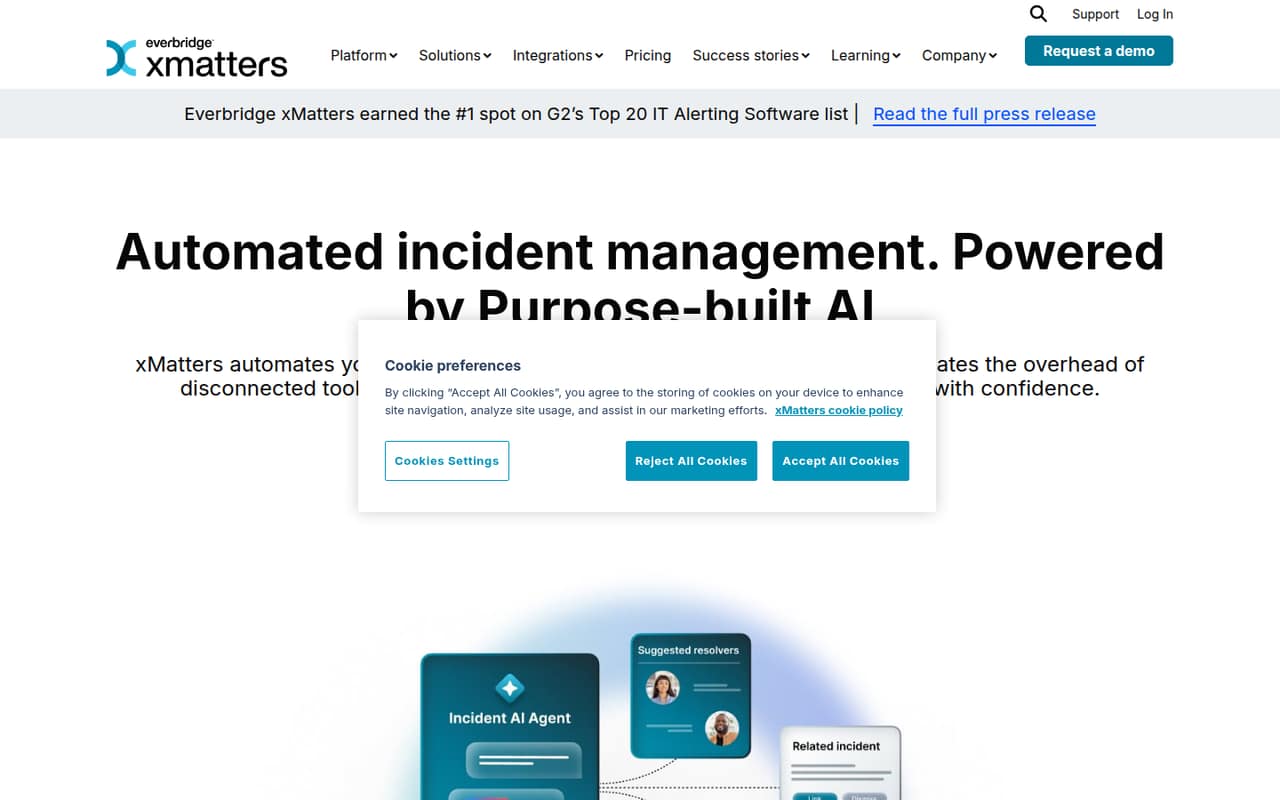
xMatters is for teams that need to get the right people responding when a service has an incident. It combines on-call management with alerts, service context, response workflows, and post-incident analytics. The vendor also describes an AI agent that guides responders using historical data, service dependencies, and best practices.
For a team of 1–10, the case is strongest when incidents need coordinated handoffs or repeatable actions—not just a schedule and a notification. No minimum or maximum team size is published, so we can’t confirm whether any plan suits a particular headcount. The budget fit is also hard to judge: plan prices and most inclusions aren’t listed. A ServiceNow discussion includes a commenter who prefers xMatters and says its scheduling is better, while noting that third-party notification tools can handle SMS and phone alerts. That’s useful context, not a universal comparison.
02xMatters free plan and trial
The pricing page lists a Free plan, but it doesn’t list what the plan includes, its limits, or which features are reserved for paid tiers. That means we can’t confirm whether a small team gets on-call scheduling, workflow automation, AI guidance, or any particular number of users at no cost. Ask xMatters to spell out the free plan’s user limit and notification options before relying on it.
A free-trial offer isn’t published. Free is the cheapest listed way in, but the available details aren’t enough to judge whether it works for a real incident-response setup. SMS and phone voice notifications are paid add-ons on paid tiers; the vendor doesn’t publish their prices. Confirm whether those channels are available on Free and what switching to a paid plan would cost.
03What a small team pays for xMatters
The pricing page lists four plans—Free, Starter, Base, and Advanced—but publishes no prices for any of them. It also doesn’t state whether billing is monthly or annual. So we can’t calculate a one-person cost or a three- or five-person total, or compare annual billing with monthly billing. Ask xMatters for quotes for your exact seat count and whether the quote changes with billing term.
The listed add-ons are SMS notifications and phone voice notifications. On paid tiers, both are billed per full user per month, but the per-user amounts aren’t published. That could matter even for a small team if everyone needs phone or SMS alerts; ask whether every seat needs to be billed as a full user and which notification channels are included in the quoted plan.
Because plan inclusions are also not listed, we can’t identify the cheapest paid plan that covers a specific feature set. Get the plan-by-plan feature list and an all-in quote, including notification add-ons, before comparing xMatters with tools that publish seat prices.
04Getting started with xMatters
The product description says xMatters supports no-code workflows, actionable notifications, on-call management, and alerts enriched with ownership, dependencies, and recent changes. Those features suggest teams can shape response steps without writing workflow code, but they don’t establish how much configuration is needed to get a useful setup running.
The vendor doesn’t publish setup time or a step-by-step onboarding requirement in the available product details. The specific integrations a small team needs on day one aren’t listed either. A Reddit commenter says xMatters plugs into other platforms, but doesn’t name which connections they used. Another discussion mentions xMatters alongside ServiceNow; that isn’t an integration guide. Before signing up, ask about connecting your alert sources, chat tools, service data, and existing on-call schedules. Plan to clarify those requirements with the vendor rather than assume setup is quick.
05When small teams outgrow xMatters
The clearest reason to reconsider xMatters as a team grows is budget uncertainty. The vendor doesn’t publish seat prices, plan limits, or plan-by-plan inclusions, so it’s difficult to forecast costs as more responders join or to know when an upgrade becomes necessary. SMS and phone voice notifications add per-user monthly charges on paid tiers, with the amounts unpublished. Ask for projected costs at your expected headcount and alert volume before committing.
Feature limits that trigger an upgrade aren’t published either. We can’t point to a confirmed user cap or a specific workflow restriction. Reddit offers one positive comparison: a commenter says they personally prefer xMatters and that its scheduling is better, while another says third-party tools can provide SMS and phone alerts. Those comments don’t establish how the product performs at larger scale. If your team grows, review the quote, plan limits, and notification costs with the vendor before assuming you need to move.
From the threadsWhat users say
The available Reddit comments lean positive about xMatters, with one commenter preferring it and praising its scheduling. The discussion is limited, so it offers little evidence about support quality or how the product fits teams as they grow.
I've done this in all 3 platforms and I personally prefer xMatters
As far as the actual scheduling, it's a lot better
PagerDuty and xMatters both plug into other platforms too
you still need to have a third-party to actually host the actual SMS and Phone portions of your alerts
Questions people ask
What is xMatters used for?
xMatters is used to coordinate incident response and automate operational workflows. Its listed capabilities include on-call management, alerts enriched with service context, no-code workflows, AI-guided response, and post-incident analytics. Responders can also trigger workflows or resolve incidents directly from notifications.
How much does xMatters cost?
The pricing page lists Free, Starter, Base, and Advanced plans, but doesn’t publish their prices or billing terms. SMS and phone voice notifications are billed per full user per month on paid tiers, and their prices aren’t published either. Ask xMatters for an all-in quote for your team size and notification needs.
Is there a free xMatters plan?
Yes. The pricing page lists a Free plan, but doesn’t specify its user limit, features, or notification options. A free trial isn’t published. Ask the vendor what the free plan includes and whether SMS or phone alerts are available before depending on it for on-call coverage.
What are xMatters alerts?
xMatters alerts notify on-call responders when incidents occur. The product description says alerts can include context such as service ownership, dependencies, and recent changes, and that responders can trigger workflows or resolve incidents from notifications. SMS and phone voice notifications are paid add-ons on paid tiers.
Is xMatters part of ServiceNow?
The vendor describes xMatters as an incident-management and workflow-automation product. A Reddit commenter says xMatters plugs into other platforms, but that comment doesn’t establish an ownership relationship with ServiceNow. Ask xMatters directly if you need to confirm current ownership, packaging, or how it connects with your ServiceNow setup.