
We may earn a commission if you buy through links on this page. It never changes a score or a ranking. How we make money
The bottom line
A capable GitHub project layer with a generous free plan, but check whether it can replace your other work tools.
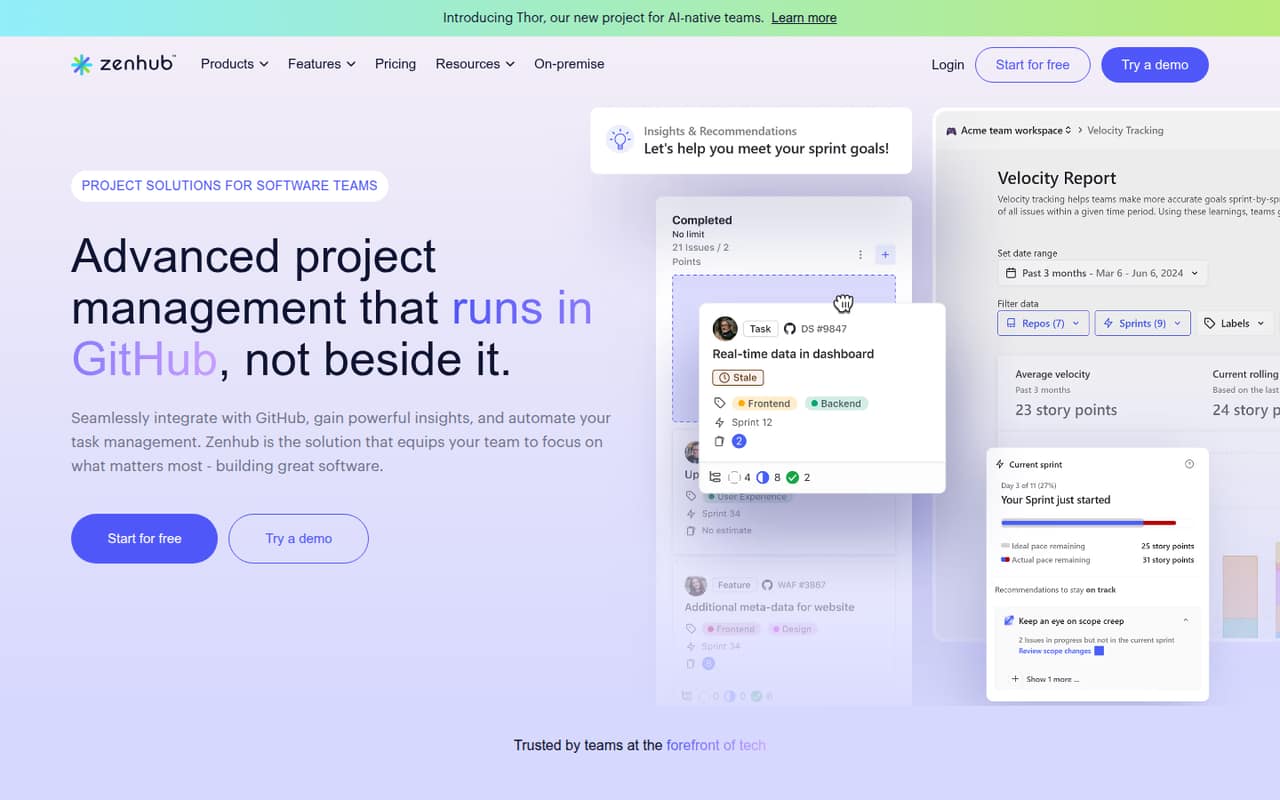
ZenHub adds project boards, planning, reporting, automation, and AI assistance to GitHub. Its free plan covers up to 50 users, but is limited to one workspace, one GitHub organization, two repositories, and 250 issues.
Teams costs $4.99 per user per month when billed yearly: $14.97 a month equivalent for three seats or $24.95 for five. One Reddit user says ZenHub worked best alongside a general task management tool, so teams wanting one system for every kind of work should check that fit.
Good fit if
- Teams already working in GitHub
- Small teams watching subscription costs
- Engineering sprint and issue planning
Skip it if
- Teams needing one tool for all work
- Projects with more than two free repositories
- Public roadmap viewers without invite access
ScoresHow it rates
What works
- Free plan supports up to 50 users
- Free plan includes boards and up to 250 issues
- Teams adds room for 50 repositories
- Project hierarchies connect objectives to subtasks
- AI assistance supports planning and summaries
What doesn't
- Free plan stops at two repositories
- Teams monthly billing price is not published
- Teams still caps at one GitHub organization
- One user found it hard to use alone
- A Reddit post reports invite-only roadmap viewing
01Who ZenHub is for
ZenHub is for software teams that already keep their work in GitHub and want project planning close to their issues. It adds boards, project hierarchies, reporting, workflow automation, and AI help for sprint planning and summaries. Teams can organize work from objectives and projects down to epics, tasks, and subtasks.
For a team of one to ten, the free plan is a sensible place to start if two repositories and 250 issues are enough. There is no per-seat charge on that plan, and the listed user limit is 50. Teams makes more sense when you need additional repositories, workspaces, or the plan's AI and automation features; its yearly-billed rate is $4.99 per user per month. ZenHub is less of an obvious fit if you want one place for engineering, marketing, and general company tasks. One Reddit user described using it alongside Asana for broader task management.
02ZenHub free plan and trial
ZenHub's Free plan costs $0 per user per month. The pricing page lists one workspace, up to 50 users, one GitHub organization, up to two repositories, and up to 250 issues. That is enough room for a small team to try project boards and GitHub-based work management without a subscription, as long as the repository and issue limits fit.
The main stopping points are the two-repository and 250-issue caps. If your team needs more room, Teams allows up to 50 repositories and 5,000 issues, with up to 10 workspaces. The pricing page lists a 14-day Teams trial and a 60-day Enterprise trial. It does not list a separate free-trial length for the Free plan; the plan itself is free.
03What a small team pays for ZenHub
The pricing page lists Teams at $4.99 per user per month when billed yearly, with four months free through annual payment. That works out to $59.88 per seat for a year. A three-person team pays $14.97 per month equivalent, or $179.64 for the year; five seats come to $24.95 per month equivalent, or $299.40 for the year. These are annual-billing calculations, not monthly-payment quotes: ZenHub does not publish the Teams monthly price.
Free costs $0 for up to 50 users, but is capped at two repositories and 250 issues. Teams raises those limits to 50 repositories and 5,000 issues, and includes up to 10 workspaces while keeping the 50-user cap. The pricing lists no add-ons. Enterprise pricing is not published; it lists unlimited users, repositories, and issues, up to 10 GitHub organizations, and priority support. For a small team, ask ZenHub for the monthly Teams rate before comparing payment schedules.
04Getting started with ZenHub
The main setup consideration is that ZenHub is built into a GitHub-based workflow. A team should decide which GitHub organization and repositories to plan around, then check that those fit the chosen plan: Free allows one organization and two repositories, while Teams allows one organization and 50 repositories. ZenHub's boards and reporting are based on GitHub work, so teams should be comfortable managing software issues there.
The published feature information describes project boards, hierarchies, reports, automation, and AI assistance, but gives no setup-time estimate or step-by-step onboarding details. We would plan time to agree on how the team will use those features rather than assume the tool will organize work automatically. One Reddit user called ZenHub a layer on top of GitHub and said their team paired it with Asana for general task management. If your team wants ZenHub to be its only system, confirm the workflow covers non-engineering tasks before committing.
05When small teams outgrow ZenHub
The first clear reason to upgrade is hitting Free's two-repository or 250-issue limit. Teams raises those caps to 50 repositories and 5,000 issues, but still allows only one GitHub organization and up to 50 users. A team needing more users, more organizations, or unlimited repositories and issues would need to look at Enterprise; its price is not published, so ask ZenHub for a quote before budgeting.
Another reason to reconsider is workflow scope. ZenHub focuses on project management in GitHub, and one Reddit user said their previous team used it alongside Asana for general task management. That is one team's report, not a guarantee that every team will need a second tool, but it is worth testing against your own needs. A Reddit post also says ZenHub roadmap viewing requires invite access, which may not suit teams that want public roadmaps. Check that access model if outside viewers matter.
From the threadsWhat users say
The Reddit comments show interest in ZenHub's GitHub connection, alongside a practical concern about using it as a team's only system. The small number of comments points to mixed sentiment, not a broad consensus.
since it has some interesting AI features and is highly integrated with GitHub
Because it’s really just a layer on top of Github, it’s tough to make it work well as your only system
We used it alongside Asana for more general task management
Linear and ZenHub are invite access only to view repo roadmaps
Questions people ask
Is ZenHub free to use?
Yes. The Free plan costs $0 per user per month and lists one workspace, up to 50 users, one GitHub organization, two repositories, and 250 issues. If you need more repositories or issues, the Teams plan allows up to 50 repositories and 5,000 issues.
How much does ZenHub cost per month?
The Teams plan is listed at $4.99 per user per month when billed yearly. That is $14.97 per month equivalent for three seats or $24.95 for five. ZenHub does not publish the Teams price for monthly billing. Enterprise pricing is also not published.
What does ZenHub do?
ZenHub adds project management to GitHub. Its listed features include project boards, hierarchies for organizing work, reporting, workflow automation, sprint planning, burndown charts, and AI help with planning and summaries. The plans are limited by the number of workspaces, organizations, repositories, issues, and users they allow.
Is ZenHub only for engineering work?
ZenHub is built into GitHub and organizes work around GitHub projects and issues. One Reddit user said their team used it alongside Asana for general task management. That is an individual report, but teams wanting one system for engineering and broader company tasks should check whether ZenHub covers their workflows.
Does ZenHub offer a free trial?
The pricing lists a 14-day trial for Teams and a 60-day trial for Enterprise. ZenHub also offers a Free plan at no charge, with limits of one workspace, one GitHub organization, two repositories, and 250 issues. The listed trial periods apply to the paid plans.