
We may earn a commission if you buy through links on this page. It never changes a score or a ranking. How we make money
The bottom line
A flexible web-scraping toolkit with a useful free tier and costs to monitor.
Apify is worth considering if your small team needs web data for research, lead lists, or AI workflows. Its ready-made Actors can save setup work, and you can also build your own or connect agents through MCP, CLI, or Skills.
The Free plan includes $5 in monthly prepaid usage, but compute, run limits, and add-ons matter as use grows. Starter lists $19 per month, with no published per-seat price; budget around actual usage, not just the plan fee.
Good fit if
- Teams collecting web data regularly
- AI workflows that need web data
- Builders who want ready-made Actors
Skip it if
- Teams needing predictable flat usage costs
- One-off scraping with no ongoing need
- Teams seeking a published per-seat price
ScoresHow it rates
What works
- Free plan includes $5 monthly prepaid usage
- Marketplace includes ready-made web data Actors
- Build and deploy custom Actors
- Connect agents through MCP, CLI, or Skills
- Export data or run Actors via API
What doesn't
- Free plan allows five concurrent runs
- Unused prepaid credits expire each billing cycle
- Custom compute-heavy runs can raise costs
- Extra RAM and concurrent runs cost more
- Pricing page does not list a per-seat price
01Who Apify is for
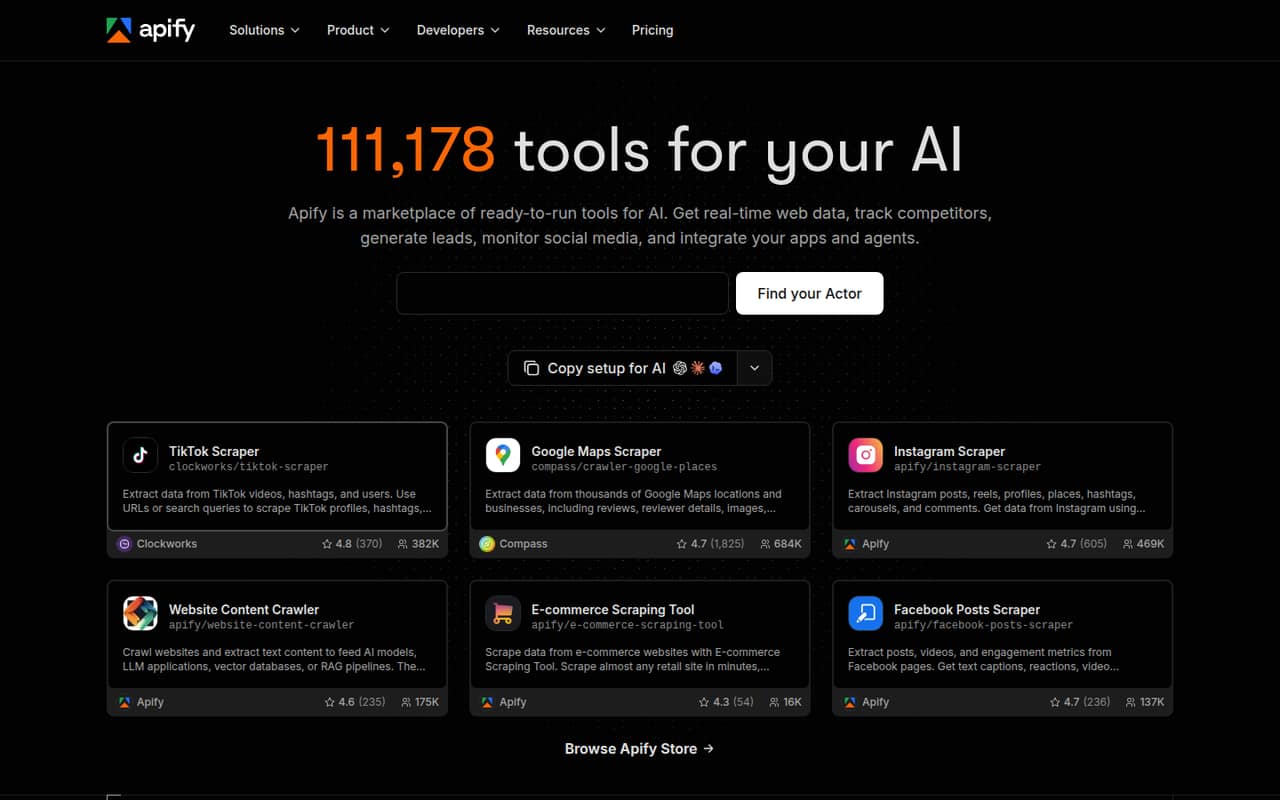
Apify is a marketplace of web tools called Actors. A small team can use ready-made Actors to collect data from websites, social media, maps, and e-commerce sites, or build and deploy its own. It also supports AI workflows through MCP, CLI, and Skills connections.
We’d consider it for a team of one to ten that collects web data more than once in a while and can budget for usage that varies by project. The Free plan makes it possible to start without a monthly plan fee; Starter is listed at $19 per month for individuals and small projects. That price includes $19 in prepaid usage, then pay-as-you-go charges may apply.
It’s less compelling for a team that only needs a single small data pull or requires a fixed all-in monthly cost. One r/automation commenter called Apify pricey for a Google Maps lead-generation use case, while another praised its pre-built Actors for common sites. Those are individual experiences, not a guarantee of results.
02Apify free plan and trial
Apify has a Free plan, not a listed free trial. The pricing page lists $5 in monthly prepaid usage, a $0.20 compute-unit rate, 16 GB of Actor RAM, five concurrent runs, and community support. That gives a solo user or small team room to try Actors and run modest projects without a monthly plan fee.
The free tier is not unlimited: it has fewer concurrent runs and less Actor RAM than Starter, and usage beyond the included amount can cost extra. The pricing page lists pay-as-you-go overages billed on the next invoice, while unused prepaid credits expire at the end of each billing cycle. If five concurrent runs or the free usage allowance gets in the way, Starter is the cheapest paid plan listed at $19 per month, including $19 in prepaid usage.
03What a small team pays for Apify
The pricing page lists Starter at $19 per month, with $19 in monthly prepaid usage and a $0.20 compute-unit rate. Annual billing gets 10% off, making Starter $17.10 per month, or $205.20 for a year. This is the listed plan price, not a promise that all usage fits inside it.
Apify doesn’t publish a per-seat price or a rule for how many team members a plan covers. So we can’t responsibly multiply the Starter price by three or five and call that the team bill. If one Starter plan covers the team, its listed fee is $19 monthly or $17.10 per month billed annually; the arithmetic equivalent is $6.33 per person for three people or $3.80 for five monthly, before usage. Ask Apify to confirm team access before budgeting on that basis.
Watch for add-ons and usage: extra concurrent runs are $5 per run, extra Actor RAM is $1 per GB, and datacenter proxies start at $0.60 per IP. Starter compute-unit charges apply beyond prepaid usage. One Reddit commenter also warns that custom code using heavy browser resources and premium proxies can make costs climb.
04Getting started with Apify
A small team can start by choosing a ready-made Actor from the marketplace rather than building a scraper. Apify also lists code templates and guides for building and deploying custom Actors. Once an Actor produces data, the product supports exports and API runs; its listed agent connections include MCP, CLI, and Skills.
How much setup that takes depends on the Actor and the job. Picking an existing tool may be a lighter start than writing and maintaining custom scraping logic, but the product description doesn’t publish a typical setup time. A Reddit poster described pasting an MCP configuration in about three seconds; that’s one user’s account, not a promise for every team or workflow.
For day one, choose the Actor, check its output and usage, and decide whether the team needs an export, API run, or agent connection. If you build your own, allow time to work through the templates and guides rather than assuming the marketplace removes all technical setup.
05When small teams outgrow Apify
The first sign may be usage rather than headcount. Free includes five concurrent runs and 16 GB of Actor RAM; Starter raises those limits to 32 runs and 64 GB. Scale lists 128 concurrent runs, 256 GB of Actor RAM, a $0.16 compute-unit rate, and $199 in monthly prepaid usage for $199 per month. Annual billing lists Scale at $179.10 per month.
A team may also outgrow the budget when browser-heavy custom Actors, extra RAM, proxies, or more concurrent runs push costs beyond the prepaid amount. Apify lists higher plans for higher usage and support, but does not publish per-seat pricing, so ask about team access and expected usage before moving up.
Reddit reports are mixed: one r/automation commenter describes Apify as pricey and says it lacks built-in data management. In another r/automation discussion, a user says costs can spiral with custom code that needs heavy browser use and premium proxies. These are useful warnings to check your own Actor’s usage, not universal price outcomes.
From the threadsWhat users say
Reddit sentiment is mixed but leans positive on flexibility and pre-built Actors. Some users praise the experience, while others warn about price, especially for demanding custom scraping.
it takes about 3 seconds to just paste the MCP config
Apify is a fantastic platform, especially if you want to use their pre-built actors for common sites
Apify is good in that but pricey and does not have built in data management
the costs can spiral quickly if you are running custom code that requires heavy browser usage and premium proxies on their infrastructure
Questions people ask
Is Apify free?
Yes. Apify’s Free plan lists $5 in monthly prepaid usage, a $0.20 compute-unit rate, 16 GB of Actor RAM, five concurrent runs, and community support. Usage beyond the included amount may cost extra, and unused prepaid credits expire at the end of each billing cycle.
Does Apify scrape Facebook?
Apify describes ready-made Actors for social media, but that alone doesn’t confirm a particular Facebook Actor or which data it collects. Check the current Actor listing for supported pages, outputs, and usage charges before relying on it for a Facebook workflow.
Is Apify scraping legal?
Using Apify does not itself establish that a specific scraping project is permitted. Check the target site’s terms and the rules that apply to your intended data and use; ask a qualified lawyer about a specific workflow. Apify’s tool description is not a legal determination.
Can I build my own Apify scraper?
Yes. Apify says users can build and deploy custom Actors using code templates and guides. You can also run Actors through its API and export scraped data. Costs depend on the plan and usage, including compute units and any add-ons you need.
How does Apify connect to AI agents?
Apify lists MCP, CLI, and Skills as ways to connect agents. A Reddit poster described pasting an MCP configuration quickly, but setup will depend on your agent and workflow. Check the relevant Apify instructions and Actor requirements before planning the integration.