
We may earn a commission if you buy through links on this page. It never changes a score or a ranking. How we make money
The bottom line
A capable time clock for teams on the move, with a base fee that changes the math.
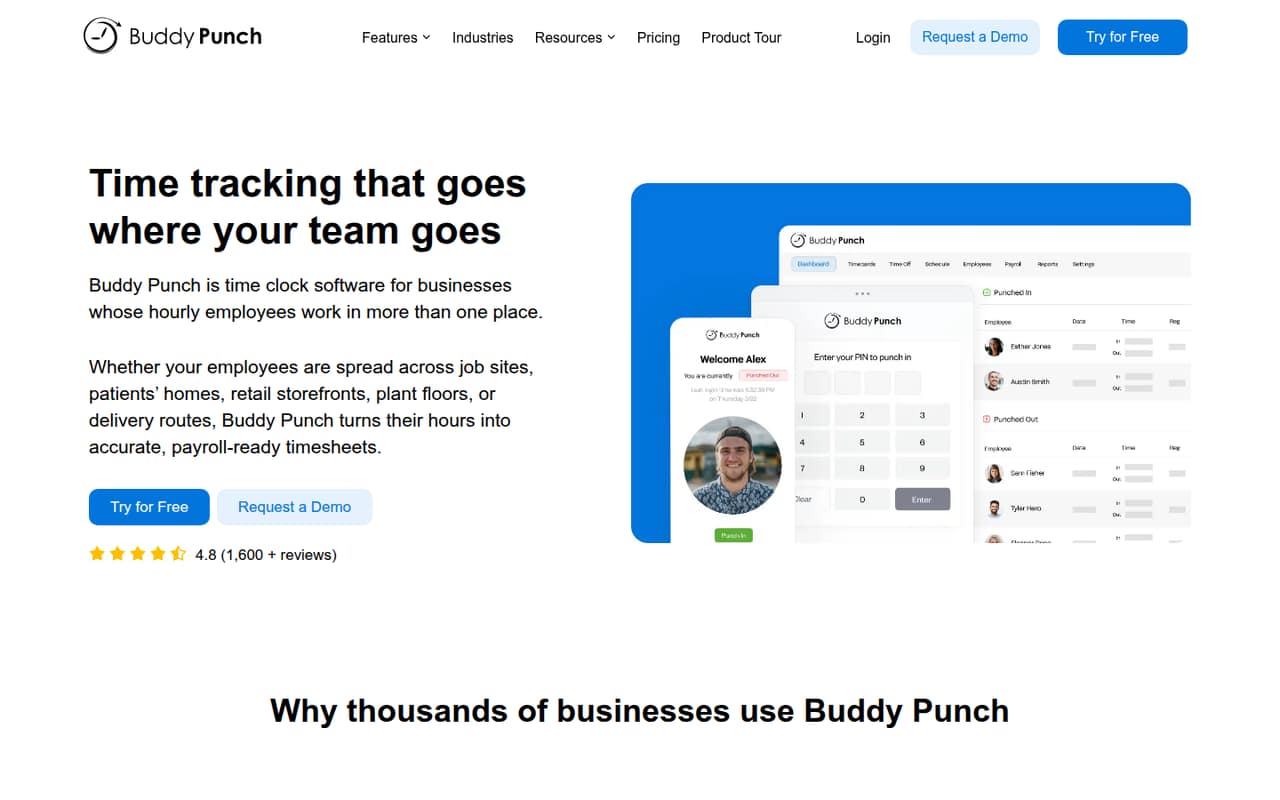
Buddy Punch tracks time, attendance, schedules, and PTO for hourly employees working across job sites, storefronts, facilities, or routes. GPS on punches is included with Starter, and higher plans add tools such as geofencing, kiosk punching, and scheduling.
There’s no free plan, and every plan has a $19 monthly base fee on top of per-user pricing. For a small team, Starter is the lowest-cost entry point; Pro makes more sense if you need scheduling or QR and kiosk punches.
Good fit if
- Hourly staff working across locations
- Teams that need GPS punch records
- Managers preparing payroll-ready timesheets
Skip it if
- Teams that need a free plan
- Businesses with only one simple time clock
- Teams avoiding recurring base fees
ScoresHow it rates
What works
- Clock in from computers, phones, or kiosks
- GPS on punches is included with Starter
- Timesheets come from employee punch data
- Tracks schedules, attendance, and PTO
- Unlimited free administrators on every plan
What doesn't
- No free plan
- Every plan adds a $19 monthly base fee
- Scheduling is not included with Starter
- Real-time GPS costs extra outside Advanced
- Payroll adds per-user and monthly base charges
01Who Buddy Punch is for
Buddy Punch is built for businesses with hourly employees clocking in across job sites, storefronts, facilities, or routes. It brings time tracking, attendance, schedules, and PTO into one system, then turns punch data into timesheets for payroll. That makes it a better fit for a small team with people moving between locations than for a handful of desk workers who only need a basic clock.
Starter is $4.99 per user per month with annual billing or $5.99 with monthly billing, plus a $19 monthly base fee. For a five-person team, that works out to $43.95 per month on annual billing or $48.95 on monthly billing. Starter includes GPS on punches, but not scheduling. Teams that need scheduling, kiosk or QR punches, or basic geofencing should look at Pro and budget for its higher per-user price.
02Buddy Punch free plan and trial
Buddy Punch does not offer a free plan. The pricing page lists a 14-day free trial, but does not publish its seat limits or say which plan features are available during the trial. Check those details with the vendor before relying on the trial to cover a whole team or a specific workflow.
After the trial, the cheapest way in is Starter: $4.99 per user per month with annual billing or $5.99 with monthly billing, plus a $19 monthly base fee. It includes GPS on punches, iOS and Android apps, unlimited free administrators, and one group. Scheduling, QR and kiosk punching, and basic geofencing are not listed as Starter inclusions. If those are essential, price Pro instead.
03What a small team pays for Buddy Punch
Starter costs $5.99 per user per month with monthly billing or $4.99 per user per month with annual billing. Add the $19 monthly base fee: one person costs $24.99 or $23.99 per month, respectively. Three people cost $36.97 monthly or $33.97 per month on annual billing; five cost $48.95 or $43.95 per month. The annual-billing figures are monthly equivalents; the listed prices multiplied by 12 give annual totals of $407.64 for three people and $527.40 for five.
Pro is $7.99 per user monthly or $6.99 with annual billing, plus the same base fee. That puts three people at $42.97 or $39.97 per month, and five at $58.95 or $53.95. Pro includes scheduling, QR and kiosk punches, and basic geofencing. Real-time GPS is $2 per user monthly outside Advanced; scheduling is $1 per user monthly outside Pro and Advanced. Advanced Reporting is $2 per user monthly outside Advanced. Payroll is $8 per user monthly plus a separate $49 monthly base fee.
04Getting started with Buddy Punch
Buddy Punch’s published features point to a setup that involves adding employees, setting up groups and locations, and choosing how people will clock in. Depending on your workflow, you may also need to configure schedules, PTO, and location restrictions. The vendor does not publish a setup-time estimate, so allow time to decide who can punch where and how managers will review time records.
Employees can clock in on computers or phones, and the feature list also includes PIN and QR code options and kiosk punching on Pro. Buddy Punch generates timesheets from punch data and can export reports or connect payroll software. The pricing information does not name specific payroll integrations, so confirm that your payroll provider is supported before you commit. A small team with one location and no schedule rules should have fewer settings to sort out than a team managing multiple sites and shifts.
05When small teams outgrow Buddy Punch
The first pressure point is Starter’s feature set. It includes GPS on punches, but scheduling is a paid add-on at $1 per user per month or part of Pro; basic geofencing, QR code punching, and kiosk punching are also listed with Pro. Moving from Starter to Pro raises the annual-billed seat rate by $2 per user per month, before the $19 monthly base fee that applies either way.
Teams with more demanding location or reporting needs may need Advanced, which costs $12.99 per user monthly with annual billing or $13.99 with monthly billing, plus the base fee. It includes real-time GPS, advanced reporting, and unlimited groups. Payroll can also change the bill: it adds $8 per user monthly and a $49 monthly base fee. If the total cost or a needed integration does not fit, ask the vendor about support for your workflow before moving employee records or timekeeping elsewhere.
Questions people ask
Can Buddy Punch track your location?
Yes. The pricing page lists GPS on punches with Starter, and Pro adds basic geofencing. Advanced includes scheduling, real-time GPS, and onboarding add-ons. Real-time GPS is also available as a $2 per-user monthly add-on outside Advanced. Check the vendor’s details on how location data is collected and used for your team.
What is buddy punching at work?
Buddy punching is when one employee clocks in or out for another. Buddy Punch offers PIN or QR code punches, GPS on punches, and location restrictions on higher plans, but the listed features do not claim to prevent every instance of buddy punching. Ask the vendor what controls are available for your clock-in setup.
How much does Buddy Punch cost?
Starter is $5.99 per user per month with monthly billing or $4.99 with annual billing, plus a $19 monthly base fee. Pro and Advanced cost more per user. Add-ons can raise the bill, and payroll has its own $49 monthly base fee in addition to $8 per user monthly.
Does Buddy Punch have a free plan?
No. Buddy Punch lists a 14-day free trial, but does not publish the trial’s seat limits or the specific features it includes. After the trial, Starter is the cheapest plan, at $4.99 per user per month with annual billing or $5.99 with monthly billing, plus a $19 monthly base fee.
Can Buddy Punch send time data to payroll?
Buddy Punch creates timesheets from punch data and can export reports or connect payroll software. The pricing information does not name specific payroll integrations, so confirm that your provider is supported. Buddy Punch also lists a payroll add-on at $8 per user per month plus a $49 monthly base fee.