
We may earn a commission if you buy through links on this page. It never changes a score or a ranking. How we make money
The bottom line
Useful for AI headshots and cleanup, but photo-pack pricing makes team costs harder to pin down.
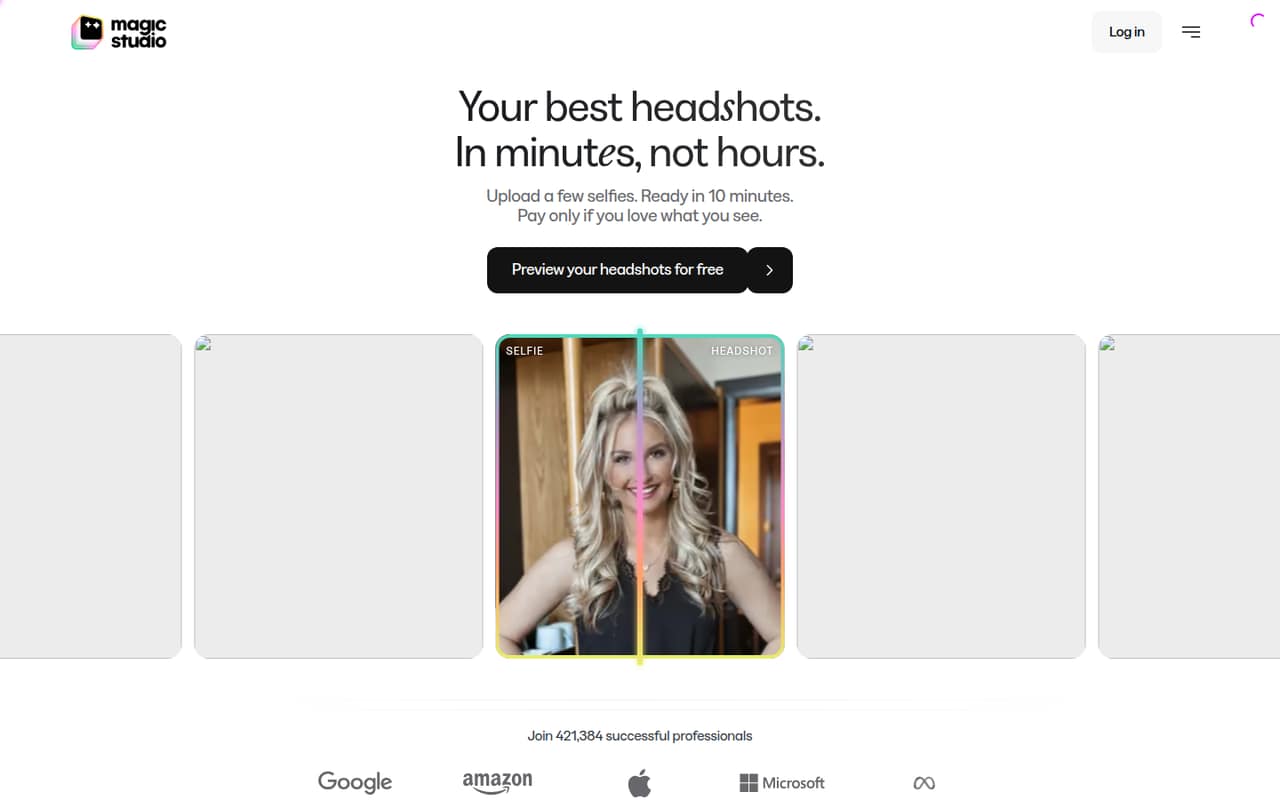
Magic Eraser is a small-distraction remover within Magic Studio’s AI photo tools. Teams can also generate 50 headshots from uploaded photos and manage team headshot progress and downloads from one dashboard.
The free plan covers 40 AI generations, but editing is available after buying a photo pack. PRO starts at $14.99 monthly or $4.99 per month with annual billing; the vendor doesn’t publish photo-pack costs or team-seat pricing.
Good fit if
- Teams creating AI headshots
- Small teams editing occasional photos
- Users wanting watermarked previews
Skip it if
- Teams needing predictable seat pricing
- High-volume photo cleanup workflows
- Buyers who need published pack costs
ScoresHow it rates
What works
- Removes small distractions from photos
- Previews 50 watermarked photos free
- Creates 50 headshots from uploaded photos
- Team dashboard manages progress and downloads
- PRO includes high-resolution, watermark-free downloads
What doesn't
- Photo editing requires a purchased photo pack
- Photo-pack prices are not published
- Team-seat pricing is not published
- Free downloads are limited-resolution and watermarked
- Free plan edits one image at a time
01Who Magic Eraser is for
Magic Eraser makes sense for a small team that needs occasional cleanup or a batch of consistent-looking headshots, not a full-time photo production workflow. The tool removes small distractions from photos, while Magic Studio can generate 50 headshots from everyday photos and create a personal AI model from uploaded images.
For a team of one to ten, the team-headshot dashboard is useful if you need to invite members and track progress and downloads in one place. The budget caveat: editing is available after purchasing a photo pack, and the vendor doesn’t publish that pack’s price in its pricing notes. So it may fit teams willing to check the pack cost before committing. If you only need to try basic image tools, the free plan includes 40 AI generations, but its downloads are watermarked and limited in resolution.
02Magic Eraser free plan and trial
Magic Studio’s free plan costs $0 and includes 40 AI generations, limited-resolution downloads, watermarked downloads, and one image at a time. It also provides basic access on MagicStudio.com and the iOS and Android apps. The product lists a preview of 50 watermarked photos before purchase.
That free access has an important boundary: the homepage says editing is available after purchasing a photo pack. Magic Eraser itself does not use credits, but that doesn’t make photo editing free. The pricing notes don’t list a separate free trial. Before a team starts a headshot project, check the photo-pack cost and whether it covers the editing the team needs; the vendor doesn’t publish that price in its plan details.
03What a small team pays for Magic Eraser
The pricing page lists PRO at $14.99 per person monthly, or $4.99 per person per month with annual billing. The annual price is billed yearly; the listed rate works out to $59.88 per person for a year. The page doesn’t publish a separate team-seat price, so these totals assume each person needs an individual PRO subscription.
On that assumption, one person pays $14.99 monthly or $59.88 yearly. Three people pay $44.97 monthly or $179.64 yearly; five pay $74.95 monthly or $299.40 yearly. The annual upfront total is not listed by the pricing notes, so confirm the amount at checkout.
PRO includes unlimited AI generations, high-resolution downloads, downloads without a watermark, and bulk editing for select tools. But the homepage says editing is available after purchasing a photo pack, and the vendor doesn’t publish the pack price. Add-on and overage costs are also not published. Ask whether the photo pack is separate from PRO and what it costs for your team’s expected use.
04Getting started with Magic Eraser
The described workflow is simple: upload everyday photos for headshot generation, preview watermarked results, then purchase a photo pack to access editing. Magic Eraser removes small distractions, and purchased-pack editing can also change outfits, backdrops, hairstyles, expressions, and more. Teams can invite members and manage headshot progress and downloads from one dashboard.
That suggests a light setup for a small team: prepare the photos, invite the people involved, and agree who handles purchases and downloads. The product is available on MagicStudio.com and in iOS and Android apps. The vendor doesn’t publish a list of third-party integrations, so don’t assume it connects directly to your existing workflow. Learning effort should be modest for basic cleanup, though teams should confirm photo-pack requirements before inviting everyone.
05When small teams outgrow Magic Eraser
The main pressure point is predictable cost. PRO’s listed rate scales to $44.97 a month for three people or $74.95 for five on monthly billing, assuming each person needs a subscription. Annual billing lowers the listed per-person rate, but the annual upfront total is not published. Photo-pack and add-on costs are also not published, so teams doing frequent edits may find it hard to forecast spend.
The free plan allows one image at a time and limits downloads to watermarked, lower-resolution files. PRO adds bulk editing for select tools, but the vendor doesn’t say which tools qualify in the pricing notes. A growing team should check whether its preferred tasks support bulk editing and ask for a team-seat quote before scaling. If you need published seat costs, clear usage allowances for photo packs, or integrations with other tools, confirm those points with the vendor before relying on Magic Studio for a larger workflow.
Questions people ask
What does Magic Eraser remove?
Magic Eraser removes small distractions from a photo. It is an editing tool within Magic Studio, which also offers AI headshots and other appearance edits after a photo pack purchase.
Does Magic Eraser use credits?
No. Magic Eraser does not use credits. However, the homepage says editing is available after purchasing a photo pack, and the vendor’s pricing notes don’t list the pack price.
Can I preview Magic Studio photos for free?
Yes. The product lists a free preview of 50 watermarked photos before purchase. The free plan also includes 40 AI generations, with limited-resolution and watermarked downloads.
What does PRO add?
The pricing page lists unlimited AI generations, high-resolution downloads, downloads without a watermark, and bulk editing for select tools. PRO costs $14.99 monthly or $4.99 per month with annual billing.
How much does Magic Eraser cost for a team?
The pricing page doesn’t list a separate team-seat rate. Assuming each person needs PRO, three people cost $44.97 monthly or $179.64 yearly at the listed annual rate. Photo-pack costs are not published, so ask the vendor for a full team quote.