
We may earn a commission if you buy through links on this page. It never changes a score or a ranking. How we make money
The bottom line
Paycom packs payroll and HR together, but small teams must request a quote to know the cost.
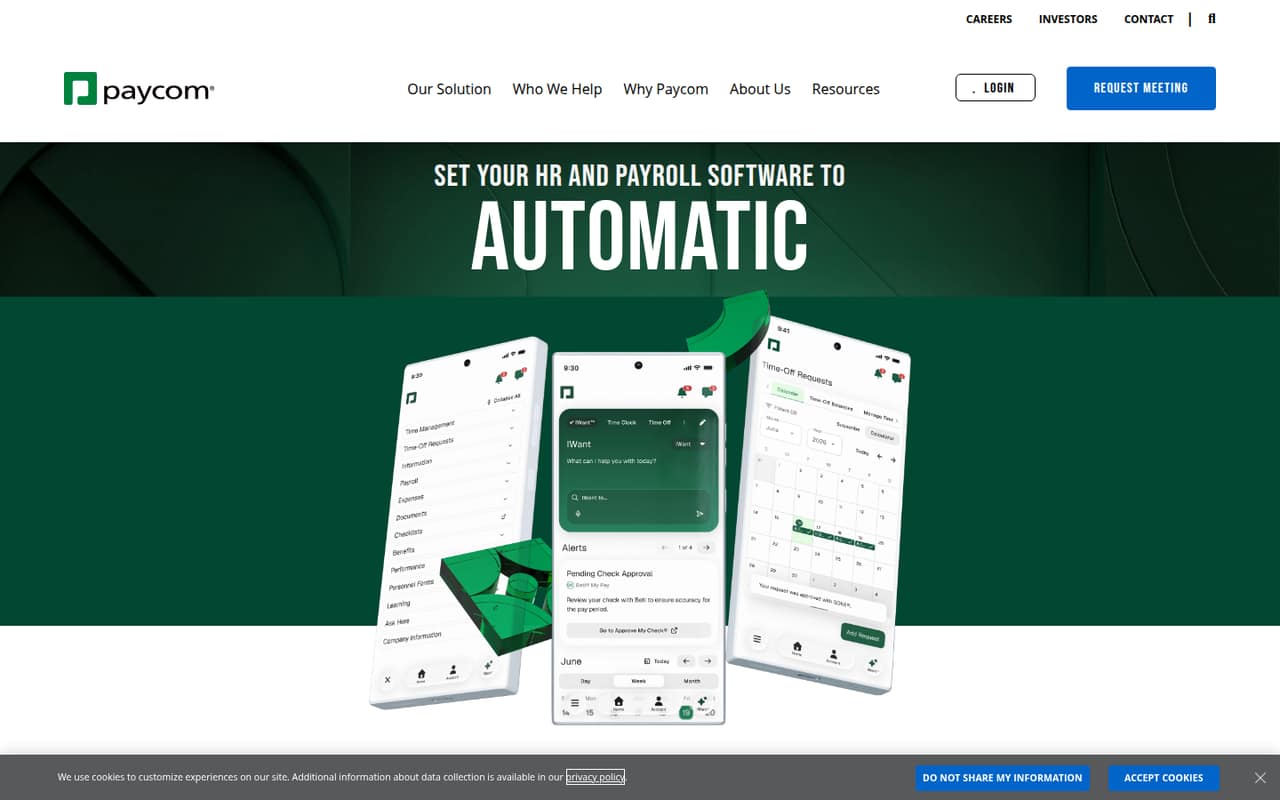
Paycom combines payroll, HR, time-off decisions and employee self-service in one system. Beti lets employees check payroll for errors before it runs, while IWant answers questions about employee and applicant data, policies and dashboards.
For a small team, the main drawback is cost uncertainty: there’s no free plan, and Paycom doesn’t publish a starting price. One Reddit thread also describes a difficult implementation and clunky workflows, so ask for a product demonstration and a detailed quote before committing.
Good fit if
- Teams wanting payroll and HR together
- Employers prioritizing employee self-service
- Teams needing automated time-off decisions
Skip it if
- Teams needing a free payroll tool
- Owners who need published seat pricing
- Teams wary of implementation uncertainty
ScoresHow it rates
What works
- Payroll and HR tools share one database
- Beti lets employees find payroll errors before processing
- Employees can manage their own HR information
- GONE automates time-off request decisions
- Dedicated implementation and ongoing support team
What doesn't
- No free plan is listed
- Starting price is not published
- Add-on prices are not published
- A Reddit user reports implementation problems
- A Reddit commenter describes clunky, manual workflows
01Who Paycom is for
Paycom combines payroll and HR software in one system, with employees entering and managing their own information. Its features include payroll automation, time-off decisions, employee self-service and AI access to employee data. That could suit a 1–10-person team that wants its payroll and HR processes together and can justify a customized system rather than choosing by a published per-seat price.
The pricing page says the setup is customized by workforce size and selected modules, so a small team should ask for a quote before assuming it fits its budget. Paycom may be more than a lean team needs if it mainly wants basic payroll: the vendor’s listed offering also includes HR and talent modules. We’d ask for a walkthrough of the specific workflows the team needs, and confirmation that each must-have is included in the proposed setup.
02Paycom free plan and trial
Paycom doesn’t list a free plan, and a free trial isn’t published. The vendor’s listed entry point is a customized quote that starts from a Core setup, with modules selected to fit the organization’s needs. The price depends on workforce size and what the team chooses.
That means a small team can’t use a free tier to evaluate the software or estimate ongoing cost from public pricing. Ask Paycom whether it offers a product demonstration or another evaluation option, and whether the Core setup covers the payroll and HR tasks you need. Confirm any implementation costs and the full set of required modules in writing before agreeing to a quote.
03What a small team pays for Paycom
Paycom’s pricing page lists custom quotes, not a public monthly or annual rate. It says pricing is tailored to workforce size and selected modules, starting from a Core setup. The vendor doesn’t publish a starting price, billing terms or per-person rate, so we can’t calculate the cost for one employee or a team of three or five. Ask for a quote at your exact headcount, with the same modules and billing term you plan to buy.
The listed add-on modules are Payroll, Talent Acquisition, Time and Labor Management, Talent Management and HR Management; their prices aren’t published. The pricing information also doesn’t say which of these are included in the Core setup. Ask the vendor to itemize required modules, any implementation charges and the total recurring price. With no free plan and no public seat price, a small team can’t compare Paycom’s cost with a per-seat budget without going through sales.
04Getting started with Paycom
Paycom says clients receive a dedicated team for implementation, payroll processing and ongoing support. That gives buyers a named channel during setup, but the amount of work required from your own team and the implementation timeline aren’t published. The integration details available here also don’t specify which third-party tools connect to Paycom, so ask the vendor to confirm support for the systems you need on day one.
One Reddit thread from a small organization describes red flags during implementation, difficulty getting issues escalated and a mismatch between sales claims and what the team could do. A commenter in that thread says they were refused access to a sandbox. Another reports that task notifications required them to find the relevant module and operation manually. Those are individual reports, not a guarantee of your experience, but they make a detailed demo and written confirmation of must-have workflows worth requesting.
05When small teams outgrow Paycom
Paycom doesn’t publish seat limits or price tiers that show when a team needs to upgrade. Instead, its pricing is customized by workforce size and selected modules. A growing team may need more modules as its HR needs expand, but the vendor doesn’t publish the price of those add-ons or how they change a quote. Ask for costs at your current headcount and a larger projected one before signing.
The bigger reason to reconsider may be workflow fit. In one Reddit thread, a commenter with seven years on Paycom describes using workarounds and creating alternate processes for areas that didn’t meet their needs. Another says task notifications required manual navigation, and another calls the system clunky and slow. These accounts are not proof every team will hit the same issues. Still, if a must-have process depends on a workaround or the quote grows with added modules, compare the cost and workflow against other options before expanding.
From the threadsWhat users say
The available Reddit feedback is mostly negative, with complaints about implementation, workarounds and manual workflows. One long-term user describes finding workarounds, but that comment also points to areas requiring alternate processes.
During implementation, there were red flags everywhere
I’ve been on Paycom for 7 years and have found a ton of workarounds
So you have to read the email, figure out which module it is directing you to, find the operation in that module, and perform the task
It’s clunky, it’s slow, everything is manual. Everything
Questions people ask
How much does Paycom cost?
Paycom’s pricing page lists custom quotes based on workforce size and selected modules, starting from a Core setup. The vendor doesn’t publish a starting price, per-person rate or monthly and annual billing terms. Ask for a quote that lists the modules you need and the full recurring cost.
Does Paycom have a free plan or trial?
Paycom doesn’t list a free plan, and a free trial isn’t published. Its listed way in is a customized quote starting from a Core setup. Ask the vendor whether it offers a demonstration or another evaluation option, and confirm which payroll and HR features the quote includes.
How does Paycom’s Beti payroll feature work?
Paycom describes Beti as a tool that builds payroll and lets employees find and fix errors before payroll runs. That gives employees a role in checking payroll information before processing. Ask Paycom to show how Beti fits your payroll workflow and which parts are included in your proposed setup.
What does Paycom’s IWant AI feature do?
Paycom describes IWant as command-driven AI access to employee data. It answers questions about employee profiles, applicant data, policies and dashboards. Ask the vendor to demonstrate the specific questions your team would use it for and confirm how access to that information is managed.
Does Paycom provide implementation and support?
Paycom says clients receive a dedicated team for implementation, payroll processing and ongoing support. One Reddit thread reports difficulty escalating implementation issues, so ask who your contacts will be, how support requests are handled and what response expectations apply before you sign.